

Why Timers and Directors Use the RaceDay Mobile
RaceDay Mobile started as a backup timing app for small and remote races. Version 6 turns it into a full race day tool for backup timing, race photos and announcing, all on the phones and tablets you already have.
Free for Every RunSignup Race
RaceDay Mobile is free on iOS and Android for events and timers using RunSignup registration.
Connected to RaceDay Scoring
Backup reads go straight to RaceDay Scoring over your local network, and Announcer Mode pulls live finisher data back from it.
Keeps Working Without a Signal
Times are stored on the device offline and upload automatically once you’re back online.
Every Photo Does More
Photos upload automatically, are tagged by bib, appear on results pages and can become photo-based timing reads.
Key Features of RaceDay Mobile
- Record backup reads at the finish or any split with a phone, tablet or Bluetooth keypad
- Send reads directly to RaceDay Scoring over the local network by scanning a QR code, with Dropbox export still available
- Reconnects automatically and resends corrected reads after a bib number change
- An updated gun shot marker makes recording start times faster


More Ways to Use RaceDay Mobile on Race Day
Beyond backup timing, RaceDay Mobile handles small-race timing, remote splits and photo management from the same device.
Offline Storage
Keep recording with no signal and upload when the connection returns.
Bluetooth Keypads
Enter bibs faster with a Bluetooth number pad.
Participant Sync
Refresh participant data from more screens, with a confirmation when it’s done.
Automatic Photo Cleanup
Photos are removed from the device after they upload successfully.
Volunteer-Friendly Photo Stations
Any volunteer with the app can take photos, with photos-only Dashboard access.
Update Control
The app asks before downloading an update, so nothing changes mid-race.
Tap to Focus Off by Default
New races start with the camera setting that tags bibs best.
How it Works: Get RaceDay Mobile Ready for Race Day
1. Download the Free App
Get RaceDay Mobile from the Apple App Store or Google Play.
2. Select Your Race
Log in and choose the race and timing location for each device.
3. Choose a Mode
Pick Recorder, Finish Line, Chute, Photo Capture or Announcer Mode for each device.
4. Connect to RaceDay Scoring
Scan the QR code from RaceDay Scoring to send backup reads or receive announcer data over the local network.
5. Start Recording
Enter bibs, capture photos or call finishers. Everything syncs automatically.
Sneak Peak at Human Detection for RaceDay Mobile
Trusted on Race Day from the Finish Line to the Mountaintop
Timers use RaceDay Mobile to back up chip timing at big races and to time remote splits where no mat can go.
Free
on iOS and Android for every RunSignup race
88.7%
of runners tagged at a remote photo split using two devices
100%
of finishers timed with RaceDay Mobile at the Yonah Mountain Vertical Challenge

Yonah Mountain Vertical Challenge – Summit Run Co
Jonathan Newton timed a mountaintop split at a trail race with 1,400 feet of climbing, using an iPad, a satellite connection and RaceDay Mobile.
- Participants: 130+
- Finishers Timed With RaceDay Mobile: 100%
- Setup: One device at the summit, streaming splits into RaceDay Scoring

Urban Wildland Half Marathon & 5K – MTEC Results
Mike Erickson tested photo-based timing at a remote 10.5-mile split with two iPads on tripods.
- Photos Captured: 5,644
- Runners Tagged: 88.7%
- Typical Gap From Chip Reads: 3–6 seconds
RaceDay Mobile Videos and Support
Watch the app in action, find setup guides, and see how RaceDay Mobile connects to the rest of your race day tools.
See What’s New in Version 6
Latest Release
Send Backup Reads to RaceDay Scoring
Set Up Announcer Mode
Set Up Photo-Based Timing Reads
Use Photo-Based Timing
Time Remote Splits
Score With RaceDay Scoring
Watch Race Day From One Screen
Bring RaceDay Mobile to Your Next Race
Download the free app, contact your timer or schedule a call and our team will help you and your timer take advantage of the features you need most for your race.
FAQ: All About RaceDay Mobile
Is RaceDay Mobile free?
What happened to the RaceDay Mobile Timing app?
How do backup reads get into RaceDay Scoring?
Does RaceDay Mobile work without an internet connection?
Can I time a race with RaceDay Mobile and no chips?
What devices work best for photo capture?
What does Announcer Mode need?
The Latest Blogs on RaceDay Technology

Custom Watermarks Now Available for Race Photos
Races can now put their own image on race photos as a watermark. Upload any image, place it in the lower-left or lower-right corner, and reuse it across event days. Until now, watermarks were limited to your race logo or one of…
Read More
EventDay Product Updates — Week of November 2–8, 2026
This week we shipped 7 releases across RaceDay Timing and RaceDay Scoring, adding 8,649 lines of code and removing 1,102 lines as we continue to improve and simplify EventDay. Not all of these updates may be available to you yet: EventDay apps…
Read More
Register Now for the 2027 Timer Education Summit
RunSignup’s 2027 Timer Education Summit returns to Tampa on February 23–24, 2027, and this year we’re putting the laptops on the table. Both learning tracks now follow an interactive, workshop-style format, so timers spend less time listening and more time setting up,…
Read More
Results V2 Overview Page Adds Participant Search
As another part of our growing Results V2 Overview Page, we have added a participant search. Runners can now search by name or bib across every public individual result set for the year they are viewing. It is already on for every…
Read MoreEventDay Product Updates — Week of October 26–November 1, 2026
This week we shipped 18 releases across RaceDay CheckIn, RaceDay Scoring and the RaceDay Timing app, adding 7,187 lines of code and removing 1,698 lines as we continue to improve and simplify EventDay. Not all of these updates may be available to…
Read More
EventDay Product Updates — Week of October 19–25, 2026
This week we shipped 9 releases across TicketCheckIn and RaceDay Scoring, adding 2,734 lines of code and removing 310 lines as we continue to improve and simplify EventDay. Not all of these updates may be available to you yet: EventDay apps ship…
Read More
Timer Dashboard – Mission Control on Race Day
RunSignup’s RaceDay development team continues to build out the Timer Dashboard, and many of the features we previewed last summer are now live. The Timer Dashboard is designed to be mission control for timers on race day. It gives you one place to…
Read More
RaceDay Mobile 6.0.2: Direct RaceDay Scoring Connection and New Photo Tools
RaceDay Mobile 6.0.2 adds a direct connection to RaceDay Scoring, new photo capture options, and several improvements based on feedback from timers and race directors. Send Timing Reads Directly to RaceDay Scoring Recorder Mode can now connect directly to RaceDay Scoring over…
Read More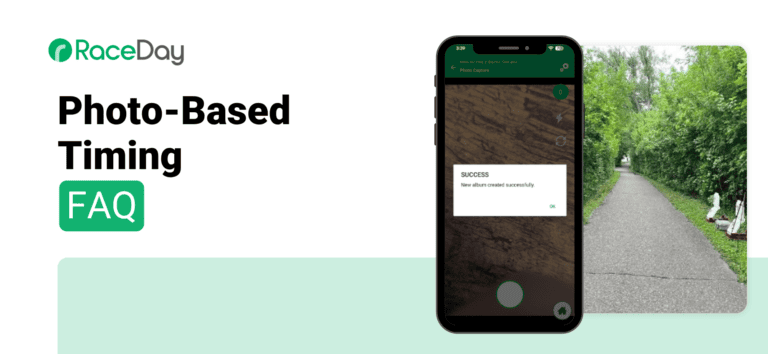
Photo-Based Timing FAQ
There has been a lot of content recently about Photo-Based Timing, from blogs, field tests, webinars, to folks out there using it and sharing their feedback. From all of these sources we’ve put together a Photo-Based Timing FAQ on the subject of…
Read More
Backing the Backbone: RunSignup’s Investment in Timers
Timers are the backbone of the endurance industry, providing races with technical guidance and race-day logistics that go far beyond scoring and results. RunSignup heavy investment in timers focuses on enterprise-grade technology built specifically for timers—offered at free to minimal cost—and backs…
Read More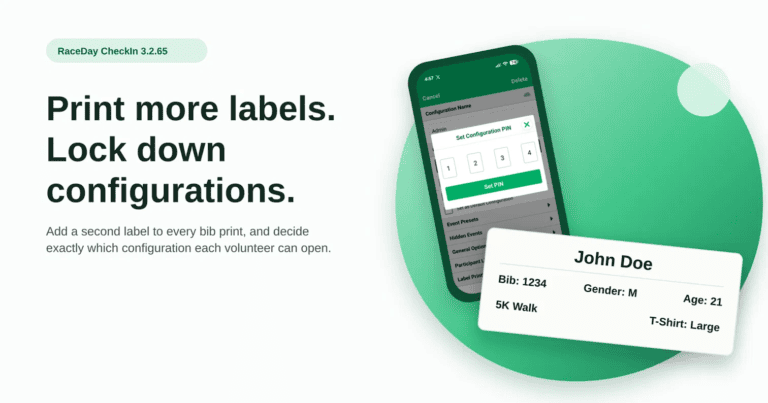
RaceDay CheckIn 3.2.65: Multiple Labels and Configuration Access Controls
This release of RaceDay CheckIn adds two things race directors have asked for. You can now design more than one label per configuration and print them together, and you can control which configuration your volunteers land in and whether they can change…
Read More
Manage Race Photos in Bulk: Select, Delete, and Add to Album
Uploading thousands of race photos is easy. Sorting through them afterward takes longer than it should. You can now select multiple photos in the photo viewer and delete them or add them to another album in a single action. Where to find…
Read More