

GiveSignup‘s newest peer-to-peer fundraising update extends automated milestone notifications to teams. Just like individual fundraiser milestone notifications, this completely free tool helps nonprofits celebrate team achievements without any additional work.
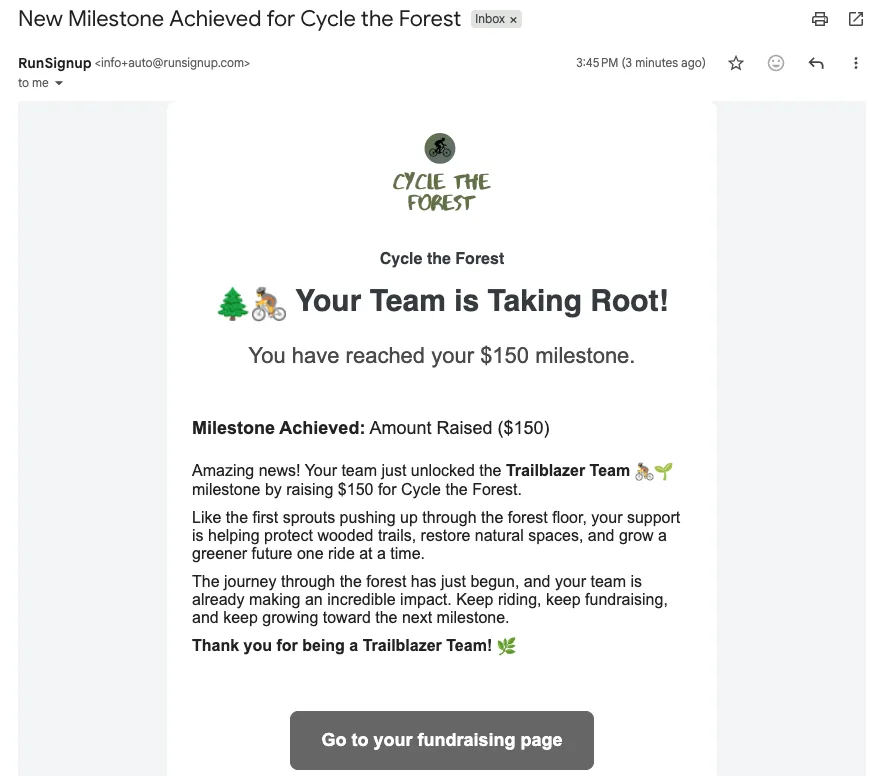
By automating personalized messages each time a team hits a milestone, you can recognize team captains in the moment, build stronger relationships, and keep momentum going through event day. More engaged team captains lead to more active teams, better fundraiser retention, and stronger overall results.
How to Set Up Team Fundraiser Milestone Notifications
Setting up automated team milestone notifications is just as quick as the individual version. You can configure your event to send a celebratory message to the team captain whenever their team reaches a milestone for amount raised and/or number of donors.
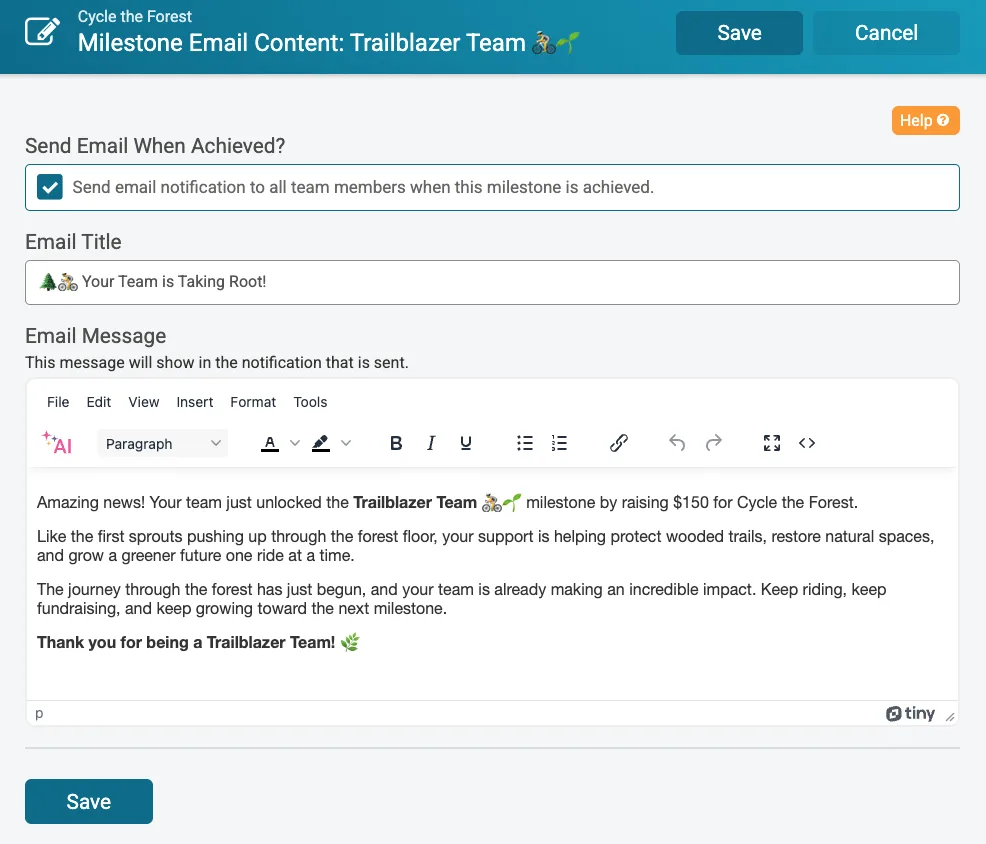
First, navigate to Fundraising >> Team Fundraisers >> Team Fundraiser Milestones. You’ll need to set up team milestones and badges for Amount Raised, Number of Donors, or Number of Team Members. Learn more about setting up fundraiser milestones and badges here. Once a milestone is created, you’ll see a new option to Configure the achieved email.

First, check the option to send an email when a team achieves the milestone. You can now customize the Subject and Body of the team milestone notification – try speeding up the process with the AI Assistant! Add your content, then click Save. Notifications will be sent automatically to the team captain(s) when the team hits the milestone.

Unlock the Full Potential of Your Peer-to-Peer Fundraising Events
GiveSignup continues to build features that make managing peer-to-peer fundraising events easier and more effective. Pairing individual fundraiser milestone notifications with team milestone notifications gives you a complete, automated recognition layer for your campaign. Keep both individual fundraisers and teams engaged from kickoff to finish line, without adding anything to your workload.