

RunSignup’s RaceDay development team continues to build out the Timer Dashboard, and many of the features we previewed last summer are now live. The Timer Dashboard is designed to be mission control for timers on race day. It gives you one place to confirm your races are ready, monitor reads and finishers as they come in, and reach every RaceDay tool without hunting for the right page.
Whether you’re timing a single 5K or running multiple crews across several events in a weekend, the Timer Dashboard is the best place to start every race.

Before the Race: At-a-Glance Readiness
The best race days start with knowing you’re ready. The Timer Dashboard organizes your races into Ongoing, Upcoming, and Past tabs and shows the status timers care about most before the gun goes off.
- Backup Status: A color-coded indicator shows whether RaceDay Scoring cloud backups are in place for each upcoming race. Green means you’re set; red means action is needed.
- RaceDay CheckIn Readiness: Confirm CheckIn is enabled and configured before packet pickup begins.
- Registration Counts: See expected participant counts to plan bib inventory and equipment.
On Race Day: Live Monitoring You Can Trust
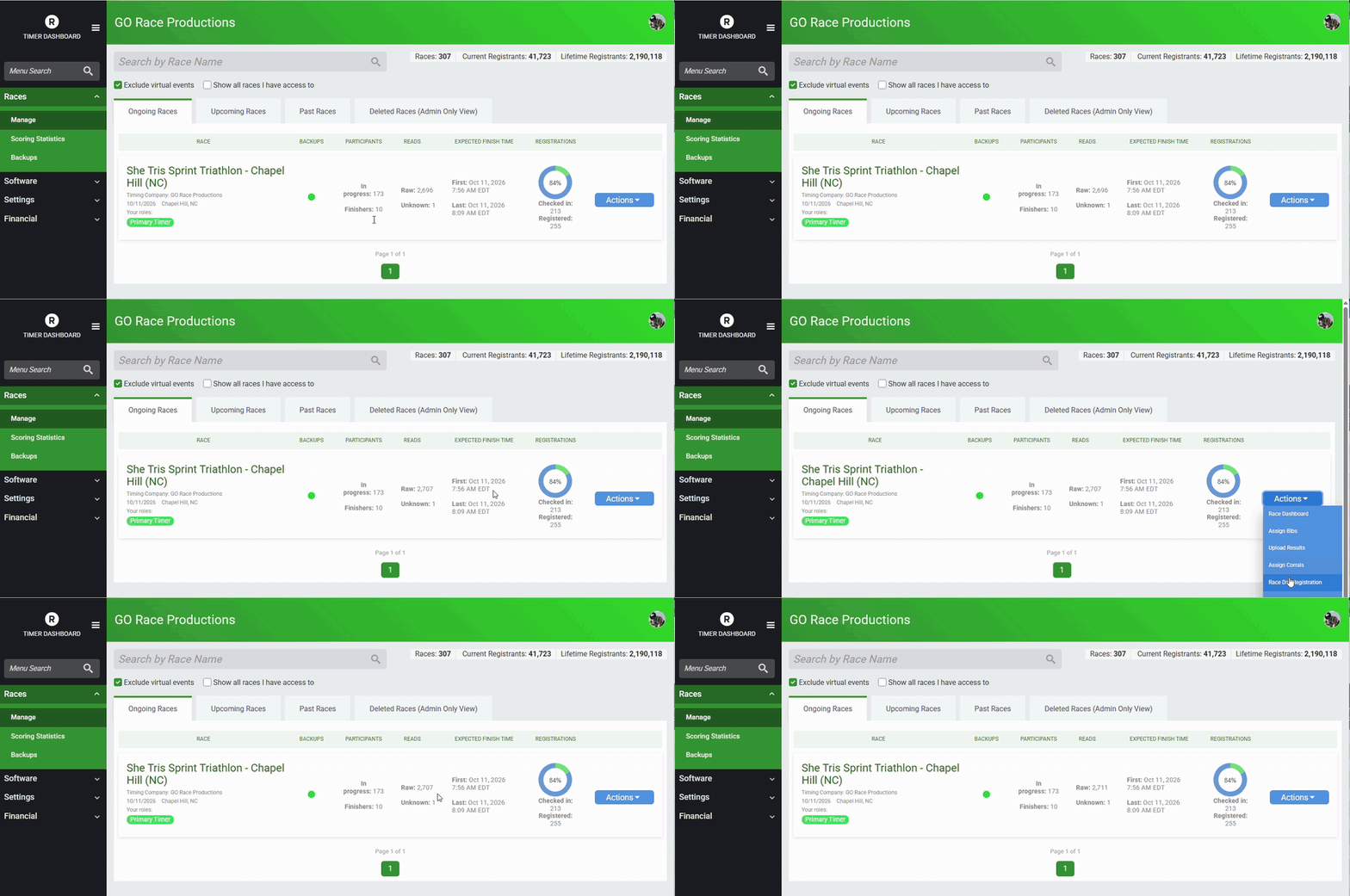
Once the race is underway, the Ongoing tab becomes your real-time view of the event. Stats update automatically as data comes in from RaceDay Scoring.
- Live Reads: See reads coming in to confirm your chips and timing equipment are working.
- Real-Time Finishers: Track finisher counts as participants cross the line and confirm results are publishing.
- Estimated Finish Times: Projected first and last finisher times help you plan crew shifts and teardown.
That visibility gives timers confidence that their team in the field is doing its job, even when they’re managing from another location.
One Click to Every RaceDay Tool
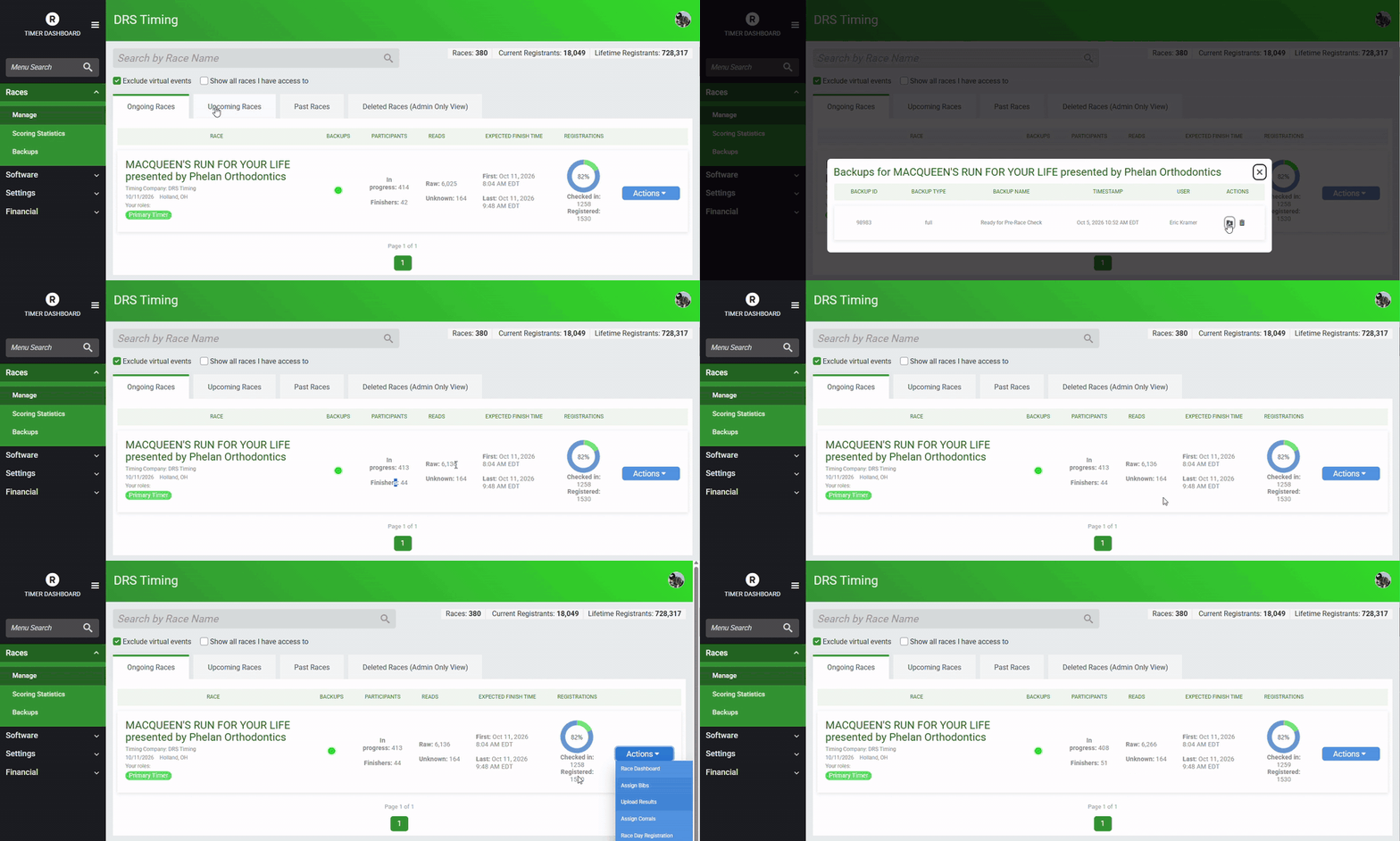
Timers have a lot to manage on race morning. Instead of finding the race and then searching for the right page, the Timer Dashboard puts the links for each race in one place, including bib assignments, corral management, and the RaceDay CheckIn app.
What’s Coming Next: Course-Level Race Intel
We’re not done. Our team is now building a race detail page that takes the dashboard from race-level totals down to the course level. Instead of one summary for the whole race, you’ll see progress for each event, such as how many participants are on course in the 5K versus the half marathon. Progress bars will show where each event stands at a glance.
The infrastructure is in place, and we’re connecting the live data stream from RaceDay Scoring now. Timers who start using the Timer Dashboard today will see these improvements appear as they roll out.
Start Every Race at the Timer Dashboard
The Timer Dashboard brings your readiness checks, live race monitoring, and RaceDay tools together in one place. Make it your home base on race day, whether you’re at the finish line or managing crews across town. Log in to RunSignup and open your Timer Dashboard to try it at your next race.