

Get Help Fast
Find answers on your own, or reach the RaceDay team directly. Support is available 7 days a week.
Search the Help Guides
Search RunSignup help guides by topic, or go straight to the RaceDay Scoring help center.
Submit a Question
Open a support ticket and our team will follow up.
Contact RaceDay Support
Email raceday@runsignup.com or call (267) 603-1469. For RaceJoy, email racejoy@runsignup.com.
Book One-on-One Time
Schedule a meeting for help with RaceDay Scoring, RaceJoy, bib management and check-in, results and more.
Resources by Product
- RaceDay Scoring help guides for setup, streams, reports and troubleshooting
- See what’s new in RaceDay Scoring V6 and the latest release notes
- Watch how-to videos on the RaceDay Scoring Video Page
- Use the Timer Dashboard to check backups, reads and finishers on race day


Timer Account Essentials
Quick links for setting up and managing your RunSignup timer account.
Getting Started as a RunSignup Timer
1. Create Your Timer Account
Set up your timing company and add your service areas.
2. Purchase the RaceDay Suite
Get RaceDay Scoring and the RaceDay Real-Time tools for one annual license.
3. Get Certified
Complete the free RaceDay Scoring, CheckIn, RaceJoy and RunSignup courses.
4. Add Yourself to Your Races
Connect your timer account to each race so you can manage scoring, check-in and results.
5. Keep Learning
Join Timer Tip Tuesday webinars and attend the annual Timer Education Summit to stay current.
Webinar Series and Video Libraries
Catch up on recorded training whenever you need it.
Timer Tip Tuesday
Keep Your Races Series
Level Up Your Timing Business
Expanding Timer Revenue Series
RaceDay Scoring Vidoes
RaceDay Scoring Lap Races & Duration-Based Timing
New Photo Based Timing for Timers
RunSignup’s Investment in Timers
Need More Help?
Get certified for free, or schedule a one-on-one meeting and our team will help you get ready for your next race.
FAQ
How do I become a Certified Timer?
How do I reach RaceDay support on race day?
Where do I find RaceDay Scoring help guides?
How do I add a staff member to my timer account?
How do I get RaceJoy for my races?
Where can I find past webinars?
The Latest Blogs on RaceDay

Register Now for the 2027 Timer Education Summit
RunSignup’s 2027 Timer Education Summit returns to Tampa on February 23–24, 2027, and this year we’re putting the laptops on the table. Both learning tracks now follow an interactive, workshop-style format, so timers spend less time listening and more time setting up,…
Read More
Results V2 Overview Page Adds Participant Search
As another part of our growing Results V2 Overview Page, we have added a participant search. Runners can now search by name or bib across every public individual result set for the year they are viewing. It is already on for every…
Read More
EventDay Product Updates — Week of October 26–November 1, 2026
This week we shipped 18 releases across RaceDay CheckIn, RaceDay Scoring and the RaceDay Timing app, adding 7,187 lines of code and removing 1,698 lines as we continue to improve and simplify EventDay. Not all of these updates may be available to…
Read More
EventDay Product Updates — Week of October 19–25, 2026
This week we shipped 9 releases across TicketCheckIn and RaceDay Scoring, adding 2,734 lines of code and removing 310 lines as we continue to improve and simplify EventDay. Not all of these updates may be available to you yet: EventDay apps ship…
Read More
Timer Dashboard – Mission Control on Race Day
RunSignup’s RaceDay development team continues to build out the Timer Dashboard, and many of the features we previewed last summer are now live. The Timer Dashboard is designed to be mission control for timers on race day. It gives you one place to…
Read More
RaceDay Mobile 6.0.2: Direct RaceDay Scoring Connection and New Photo Tools
RaceDay Mobile 6.0.2 adds a direct connection to RaceDay Scoring, new photo capture options, and several improvements based on feedback from timers and race directors. Send Timing Reads Directly to RaceDay Scoring Recorder Mode can now connect directly to RaceDay Scoring over…
Read More
Photo-Based Timing FAQ
There has been a lot of content recently about Photo-Based Timing, from blogs, field tests, webinars, to folks out there using it and sharing their feedback. From all of these sources we’ve put together a Photo-Based Timing FAQ on the subject of…
Read More
Backing the Backbone: RunSignup’s Investment in Timers
Timers are the backbone of the endurance industry, providing races with technical guidance and race-day logistics that go far beyond scoring and results. RunSignup heavy investment in timers focuses on enterprise-grade technology built specifically for timers—offered at free to minimal cost—and backs…
Read More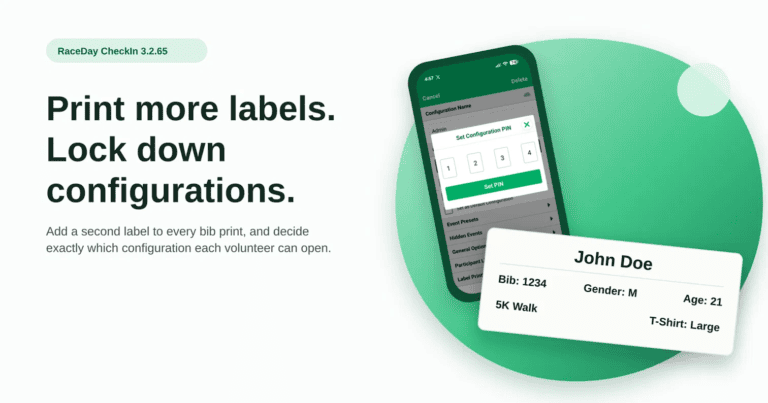
RaceDay CheckIn 3.2.65: Multiple Labels and Configuration Access Controls
This release of RaceDay CheckIn adds two things race directors have asked for. You can now design more than one label per configuration and print them together, and you can control which configuration your volunteers land in and whether they can change…
Read More
Manage Race Photos in Bulk: Select, Delete, and Add to Album
Uploading thousands of race photos is easy. Sorting through them afterward takes longer than it should. You can now select multiple photos in the photo viewer and delete them or add them to another album in a single action. Where to find…
Read More
New Photo-Based Timing Field Test
RunSignup’s new photo-based timing turns bib-tagged race photos into timing reads. Snap a photo in RaceDay Mobile, and a bib number and timestamp flow straight into a stream in RaceDay Scoring. This new feature serves as a powerful supplement to chip timing,…
Read More
NEW: Photo-Based Timing Reads for Timers
We are excited to announce our new photo-based timing solution that puts big-race technology within reach of every race budget. Using phones or tablets you already have on hand, you can help your races deliver the real-time data and finish line coverage…
Read More