This is part of our ongoing Membership Features Series, highlighting tools and best practices for membership organizations using RunSignup. Part 1: Dashboard Reports, Part 2: Recommended Website Features, and and Part 4: Auto-Renewals.
As our Membership Organization product continues to grow and evolve, we’re excited to launch a new blog series highlighting some of its new and most powerful features. Each post will explore a specific tool or capability designed to help organizations better manage their members, engage their communities, and gain valuable insights from their data.
In this post, we’ll cover the two types of members that can be associated with a membership level — people and organizations — and how each can be used to best support your membership model
Membership Level Settings
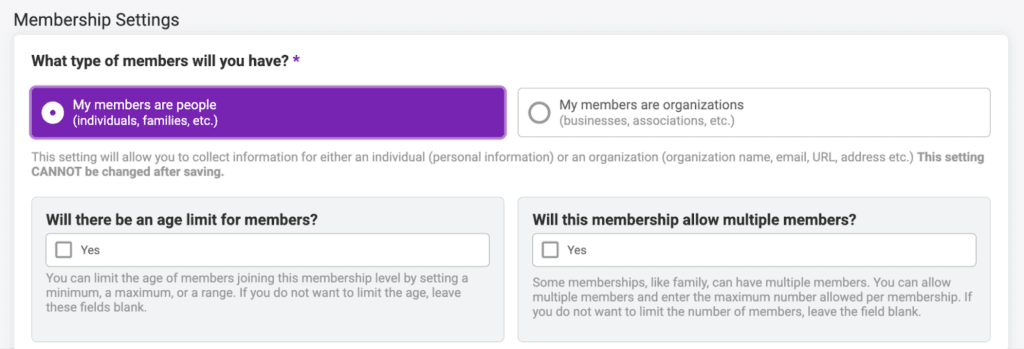
To add a new membership level, navigate to Memberships >> Membership Levels and click “Add a Membership Level”. Under the Membership Settings, you have the option to select what type of members this level will have.

Note: Once this setting is selected and the level settings are saved, it cannot be changed for that level.
My Members are People
The first type of members are people. In this case, the purchaser would be buying a membership for one or multiple individuals. For example, this could be individual participants, families, or other small groups of individual people. This is the most common type of membership for running or other sports clubs, and it also applies to memberships that provide access to individuals – such as museums, parks, recreation centers, gyms, or other public or private communities for individuals.
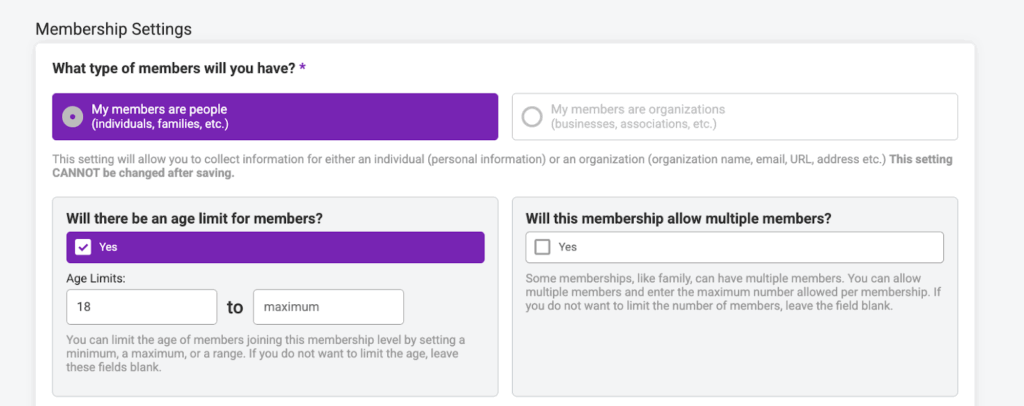
When you set up a membership level for people, you are able to set an age limit for members and allow multiple members on a single membership (ie family memberships). These two settings are not available for organization membership levels.
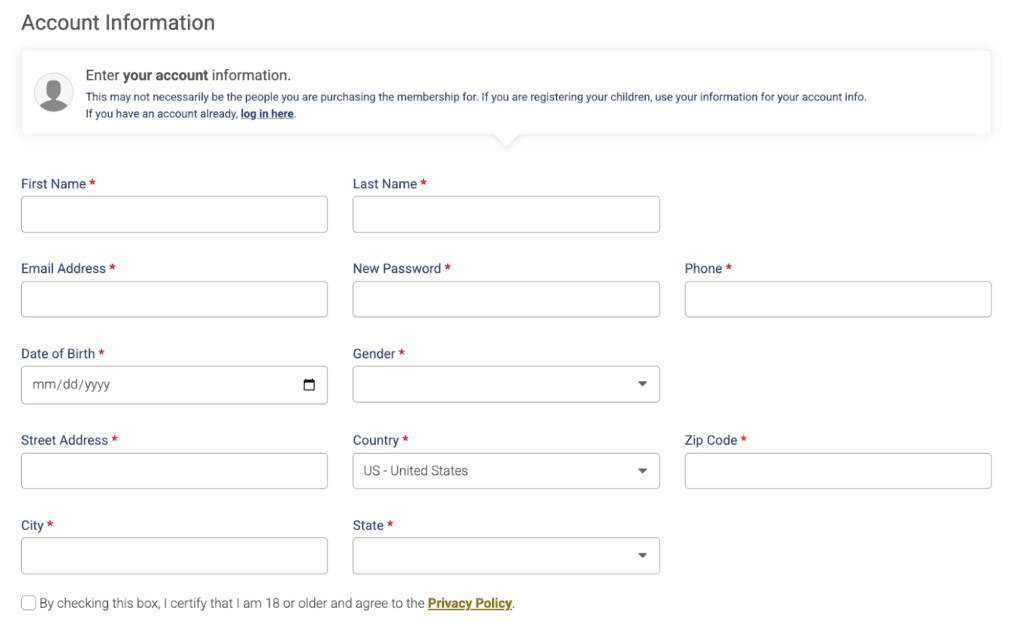
When the members are people, you will collect the information of the purchaser as well as each individual person on the membership.
Purchaser Information:
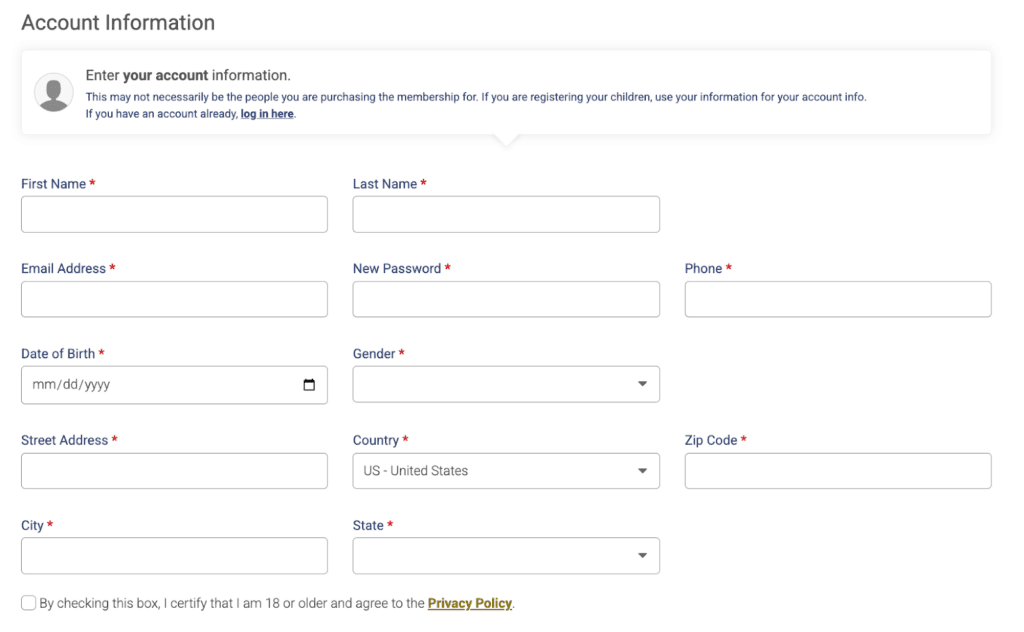
Note: This information will auto-fill if you are logged into a RunSignup Account.
Individual Member Information:
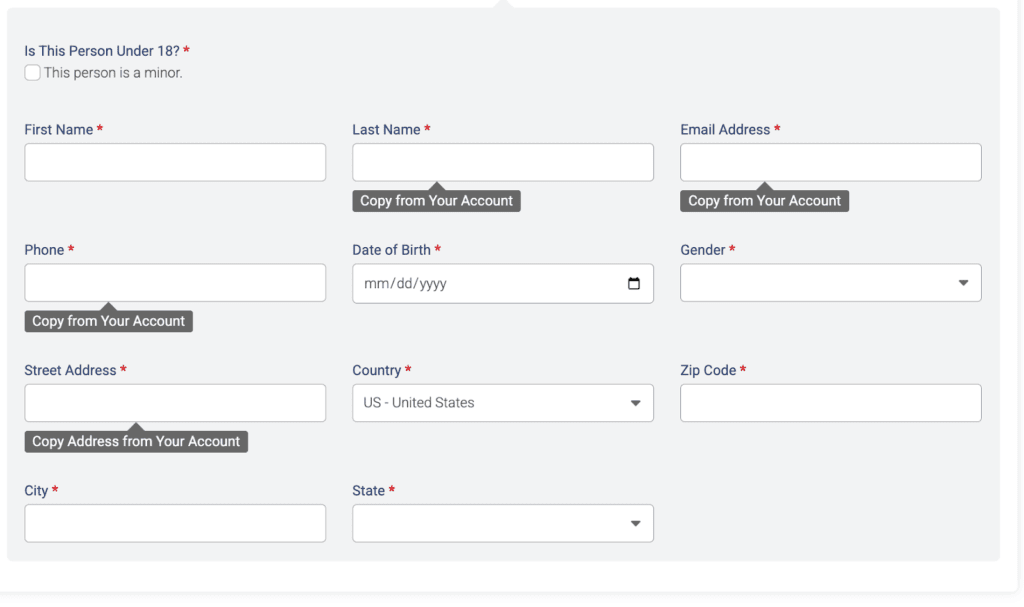
Note: When you are logged into a RunSignup account, you can enter individual member information by choosing from one the profiles under your account or manually entering a new individual’s information.
You can customize the information collection under Membership >> Information Collection.
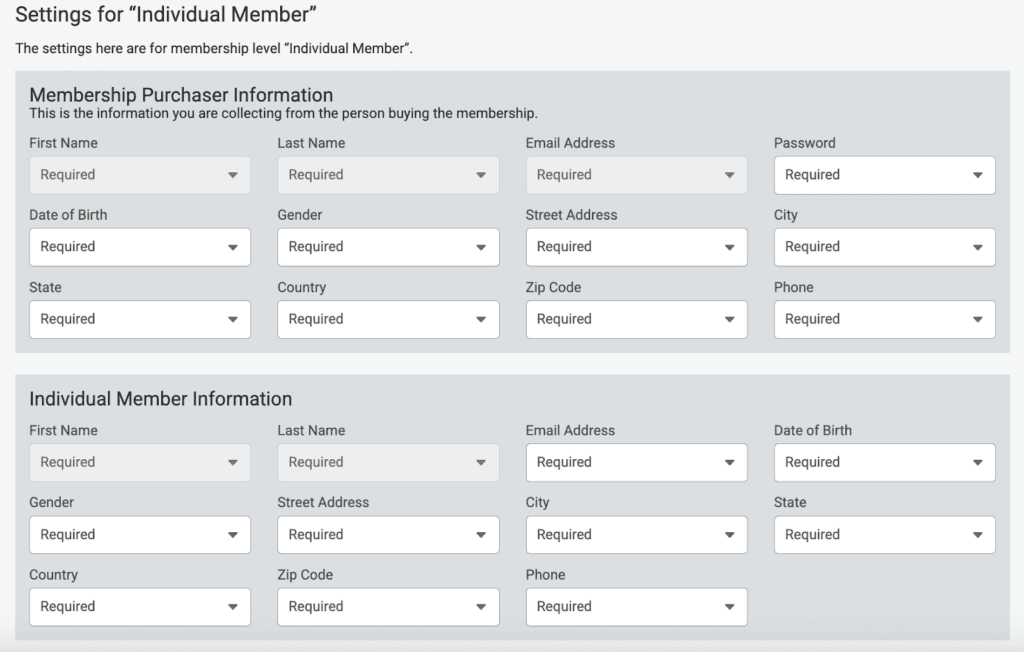
Reporting
In the membership purchases (Reports >> Membership Purchases) and individual members reports (Reports >> Individual Members), the individuals will be listed as the members:

People Membership Examples
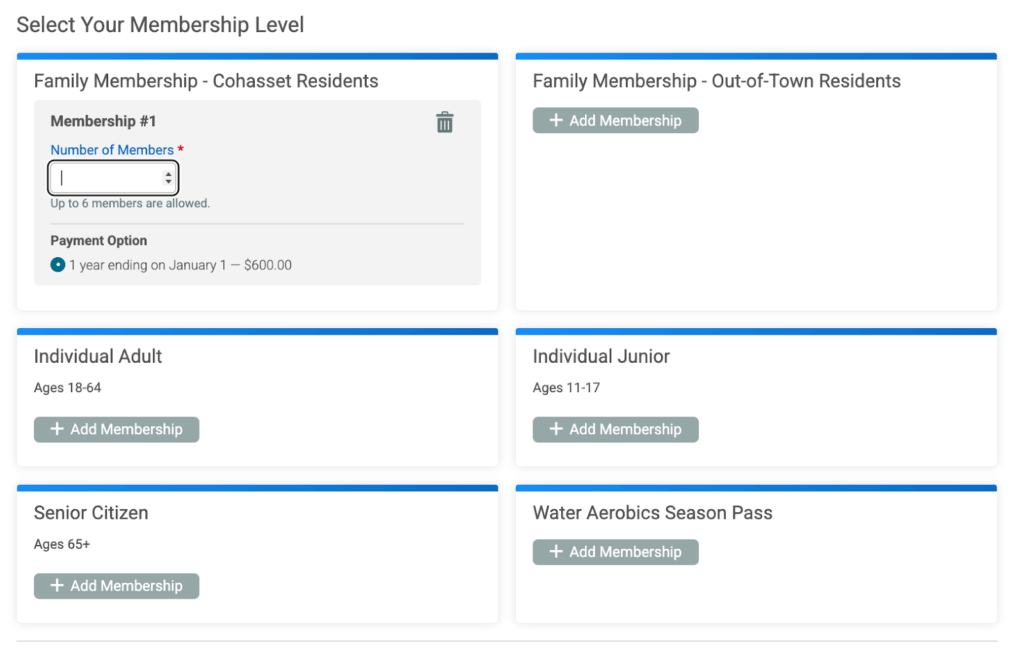
Cohasset Swim Center
The Cohasset Swim Center offers multiple membership levels for people – including family memberships that allow for multiple individuals to join under one membership.
Highland Park Garden Club
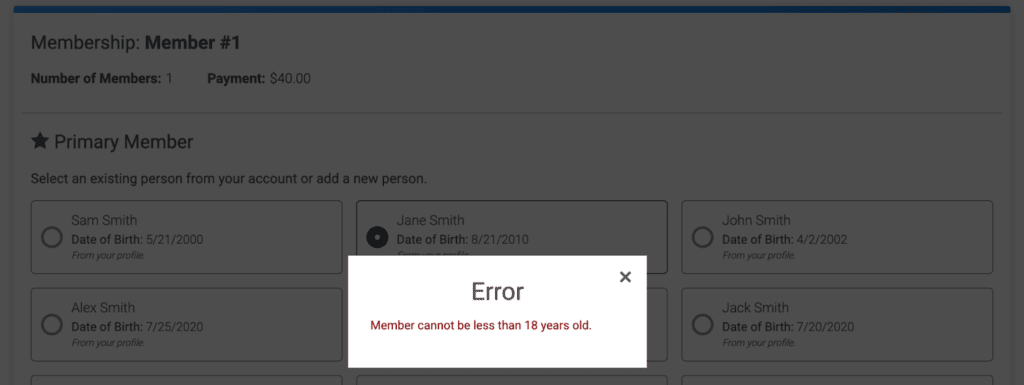
The Highland Park Garden Club offers one individual membership level, and they only allow for members 18 years of age or older.
If an individual under the age of 18 is selected/entered on the individual member information collection step, the user will receive an error.
My Members are Organizations
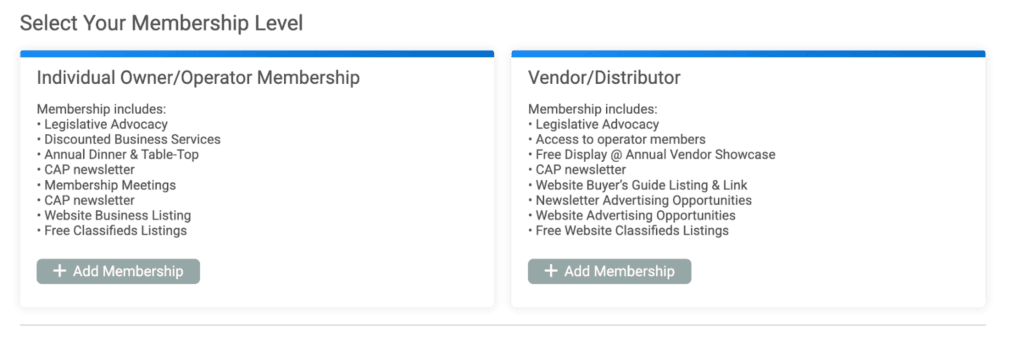
The second type of members are organizations. In this case, the individual member is an organization – a club, nonprofit, or other type of group rather than an individual. This setup is ideal for membership programs that manage relationships with multiple organizations – such as businesses or trade associations, chambers of commerce, professional networks, event organizers, or umbrella nonprofits. It can also apply to membership models in which organizations join to access benefits like insurance coverage, certifications, marketing exposure, or shared resources.
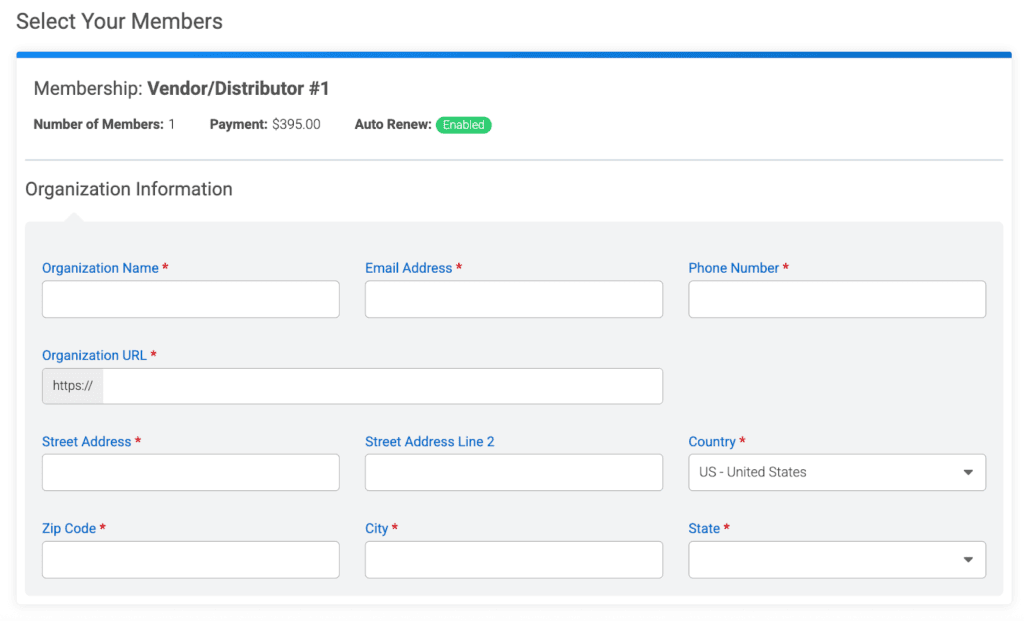
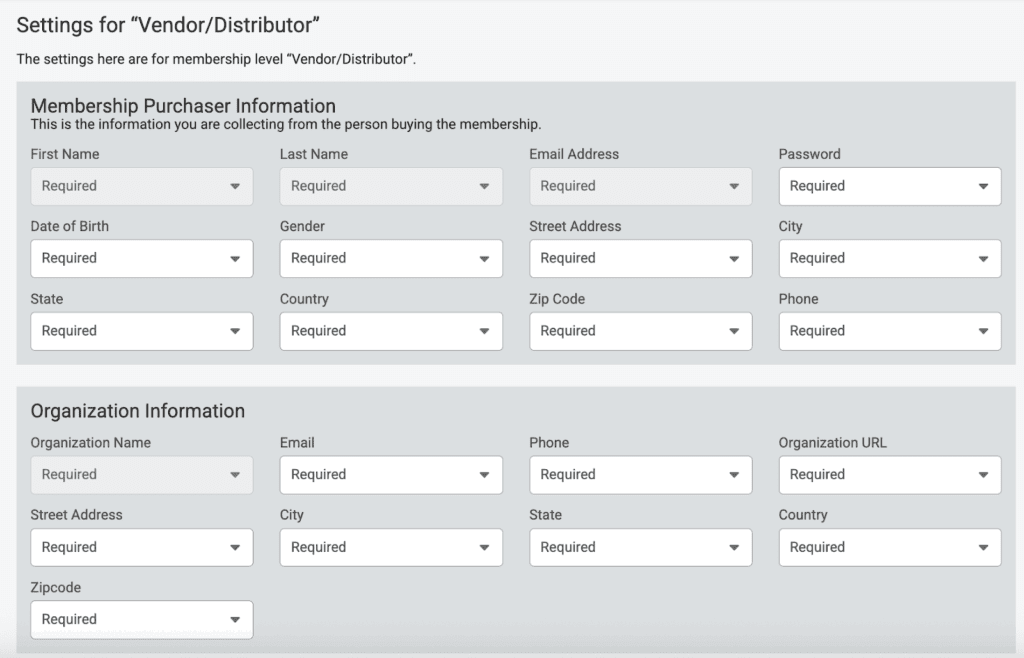
When the members are organizations, you will collect the information of the purchaser and the organization information for the individual members.
Purchaser Information:
Note: This information will auto-fill if you are logged into a RunSignup Account.
Organization (Individual Member) Information:
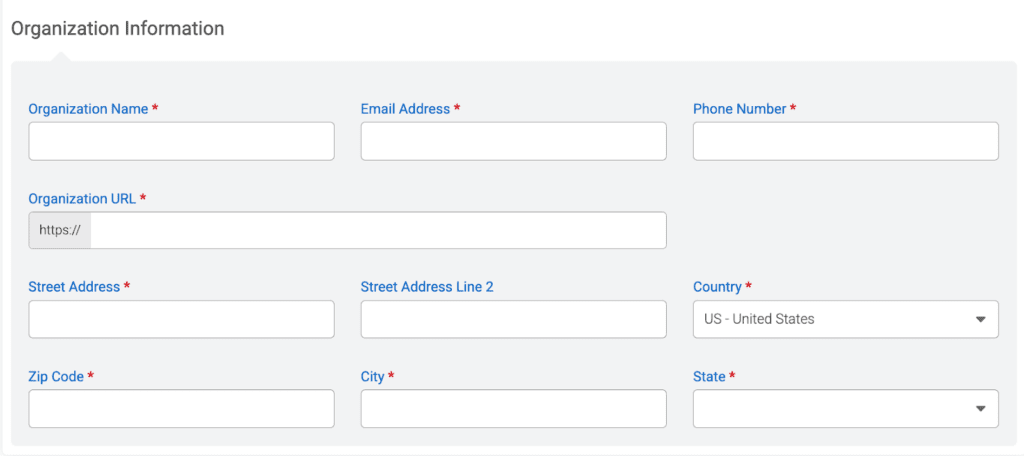
You can customize the information collection under Membership >> Information Collection.
Reporting
In the membership purchases (Reports >> Membership Purchases) and individual members reports (Reports >> Individual Members), the organizations will be listed as the members:

Organization Membership Examples
Racing for Sustainability
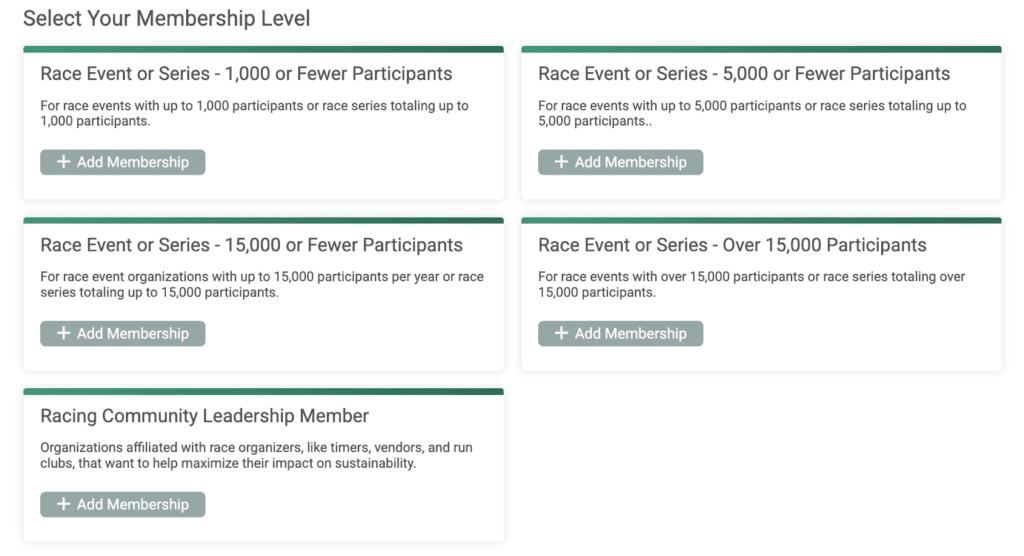
Racing for Sustainability offers memberships to race/event organizations who are dedicated to sustainability at their events. Their membership levels are based on the event size.
Carwash Association of Pennsylvania
The Carwash Association of Pennsylvania consists of organizations who support advancing and safeguarding the business interests of the car wash industry. They have two membership levels based on the member organization type.