

Great emails shouldn’t be one-and-done. If you’ve built a race update, a running club newsletter, or a sponsor thank-you that looked exactly right, you shouldn’t have to rebuild it from scratch next season. Now you don’t have to. RunSignup’s free Email V2 lets you create a reusable template directly from any draft email, so your best work becomes a starting point you can use again and again.
Race directors send the same kinds of emails on a predictable rhythm: registration reminders, packet pickup details, race-week logistics, results and thank-yous. Rebuilding that layout every time wastes time and invites inconsistency. Saving a polished draft as a template means your branding, structure, and tone are ready to reuse in one click, this year and next.
How to do it
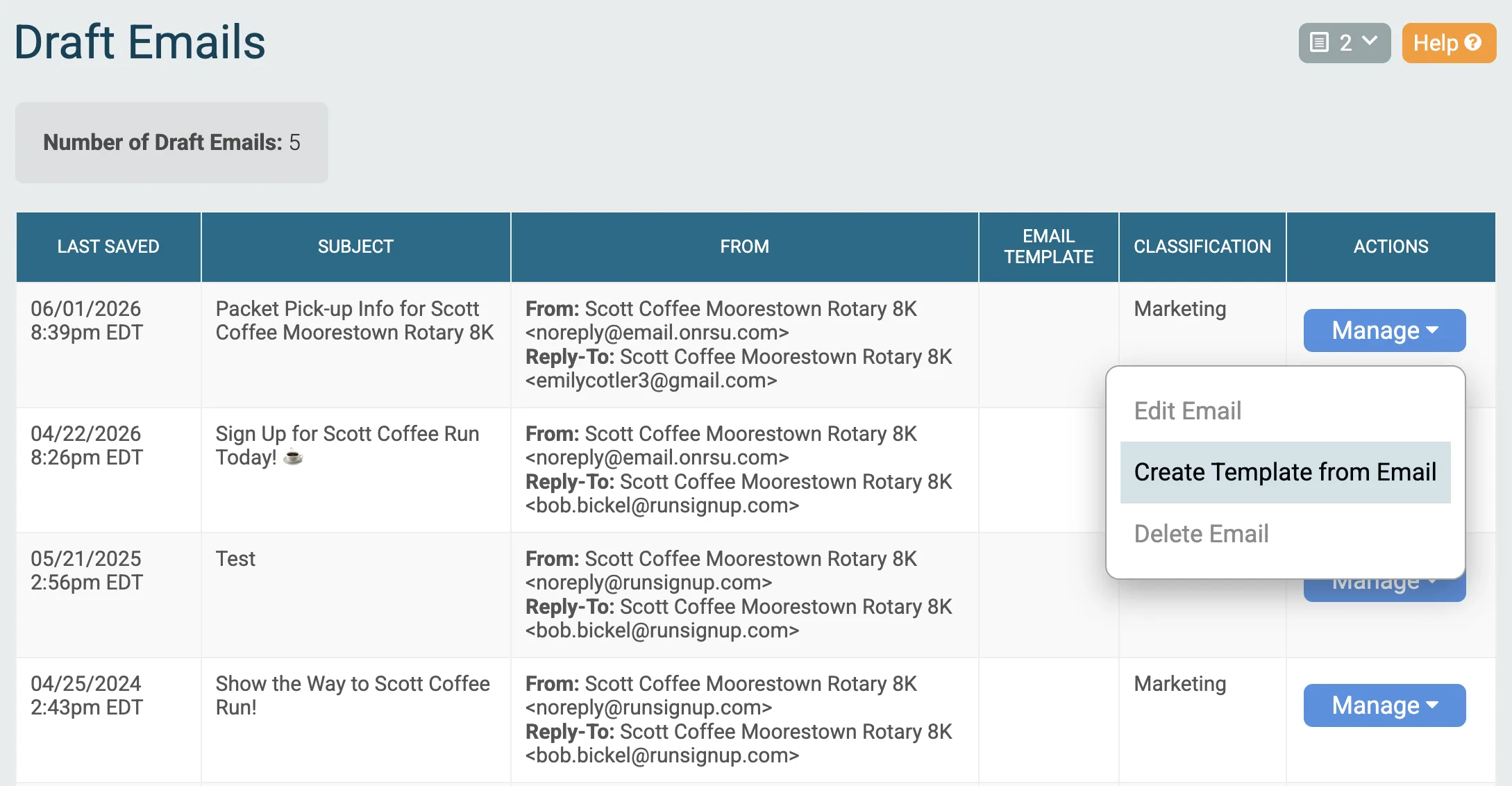
- Go to your Race Dashboard and open Email V2 → Draft Emails.
- Find the draft you want to reuse and open the Manage menu on that row.
- Select Create Template from Email.
- You’ll be taken straight into the template editor with a copy of your draft, ready to name, tweak, and save.
For sent emails that you’d like to recreate as templates, click Resend Email. From there, you can save as draft then create a template from that sent email.


The new template is available whenever you start your next email, so you can spend your time on the message and not the layout. Note that this feature works in tandem with Export Template to other races, so that you can share a sent email from one race with another one in just a couple of clicks.