


New to Memberships: Here’s Your Roadmap
RunSignup’s Membership platform makes it easy to manage your running club or organization. Whether you’re migrating from a spreadsheet or starting fresh, follow these steps to get up and running quickly.
Step 1: Basic Information
Start by entering your organization’s core details in the Membership Organization Wizard — your club name, location, description, and branding. This sets the foundation for your member-facing pages.

What You’ll Set Up in Step 1 of the Wizard

Organization Info
Add your organization name, location, and contact info

Description
Explain who/what your organization is and include your logo

URL
Create a custom URL unique to your organization

Social Links
Make it easy for your members to find their organization online
Step 2: Membership Levels
Define the membership types your club offers. Create as many levels as your need — individual family, elite, student — each with its own pricing, perks, and duration.

What You’ll Set Up in Step 2 of the Wizard

Multiple Level Types
Individual, family, group — unique pricing and benefits per level.

Flexible Duration
Monthly, daily, or custom date range — your choice.

Perks & Discounts
Tell members what they get at each level to drive sign-ups.
Steps 3 & 4: Payment & Finish
Connect your payout account, set fees, and configure auto-renewal. Then review and publish — you’ll be ready to accept members in minutes.
What You’ll Set Up in Steps 3 & 4 of the Wizard

Payment Account
Connect your bank account so membership payments go directly to you

Processing Fees
Select how you would like to handle processing fees — have the purchasers cover them or absorb them.
Review & Launch
Review your website & dashboard before you go live — you’re ready to start accepting members
I like the graph that shows how our 3 membership levels and total memberships have changed over time. [It] gives a very quick snap shot on how we are progressing.
Managing Your Members
Once you’re live, RunSignup’s dashboard gives you everything you need — no spreadsheets required.

Member
Dashboard
Search, filter, and manage all your members in one place.

Automated
Emails
Welcome emails, renewal reminders, and receipts sent automatically.

Built-In
Reporting
Track revenue, member counts, and renewals at a glance.

Auto
Renewals
Members renew automatically, reducing accidental lapses.
More Blogs for Memberships

Migrating Your Membership Organization to RunSignup Has Never Been Easier
If you’re hosting a membership organization on another platform and considering a switch, there’s never been a better time to move to RunSignup. With our new Membership Claiming Tool, migrating your existing members is a straightforward process — and your members can…
Read More
Skip the Signup: On-Site Member Check-In for Running Clubs
Running clubs are always looking for ways to reduce friction for their members. With hundreds of clubs already using Memberships to register and engage their community, the next challenge is member check-in for running clubs that host recurring training runs. Attendance tracking…
Read More
On-Site Ticketing for Members, Print Label Customization, and More!
Membership organizations that run ticketed events have traditionally had to manage their member lists separately from their ticketing. That usually means exporting a member database, importing it into the event, or asking every member to pre-register online before they show up. It…
Read More
How Richmond Road Runners Club Manages Membership and Events for 1,900+ Members with RunSignup
About Richmond Road Runners Club Founded in 1978, the Richmond Road Runners Club (RRRC) has spent nearly five decades building one of the most active running communities in the country. Based in Richmond, Virginia, RRRC’s mission is to inspire and support healthy,…
Read More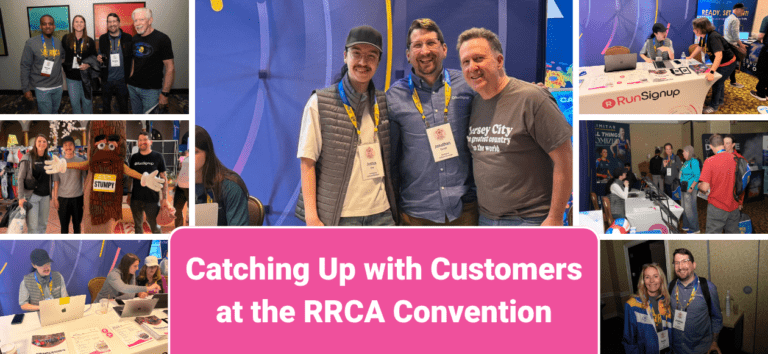
Catching Up With Memberships Customers at RRCA
This weekend, the RunSignup team headed to Arlington for the Road Runners Club of America Convention. RRCA was one of the first conferences we started attending (back in the early 2010’s!), and it’s always one of our favorite events to catch up…
Read More
Refunds for Membership Organizations
Processing refunds doesn’t have to be complicated. Whether you need to refund a membership, a donation, or a store purchase, your Membership Organization dashboard gives you the tools to handle it all — quickly and with full visibility. Before you can issue…
Read More
Membership Race Discount Report
Membership organizations can now view member discounts across all races with the new Membership Race Discount Report. The report shows each race that offers member discounts to your organization with the total number of unique members who have registered, total member registrations…
Read More
Membership Heatmap Added
We have brought our popular Heatmap to our Membership product. This allows for quick visualization of where your members are located. You can also pull down report details by zipcode that can help for organizations who might want to do target marketing,…
Read More
Turn Event Registrations Into Growth With New Membership Display Options
RunSignup’s new Membership Display Options make it easier than ever to upsell club memberships during registration while delivering a better experience for existing members. With enhanced membership display options, events can now present compelling join prompts to non-members and showcase exclusive discounts…
Read More
Membership Organization Summary Reports
Membership Organizations now have a Summary Reports tab to easily view and export your membership organization data. To view the Membership Organization Summary Reports, navigate to Reports >> Summary Reports in your dashboard. On the Summary Reports page, you can view a…
Read More
Membership Features Series Part 5: Membership Saved Reports
This is part of our ongoing Membership Features Series, highlighting tools and best practices for membership organizations using RunSignup. Part 1: Dashboard Reports, Part 2: Recommended Website Features, Part 3: People vs Organization Membership Levels, and Part 4: Auto-Renewals. As our Membership Organization product continues…
Read More
Membership Features Series Part 4: Auto-Renewals
This is part of our ongoing Membership Features Series, highlighting tools and best practices for membership organizations using RunSignup. Part 1: Dashboard Reports, Part 2: Recommended Website Features, Part 3: People vs Organization Membership Levels, and Part 5: Saved Reports. As our Membership Organization product…
Read More