

Membership organizations on RunSignup can now collect donations during membership registration. An optional donation step appears in the signup and renewal flow, so every new member and every renewal becomes a fundraising opportunity with no extra work for your team.
Your members already believe in what your organization does. They pay dues, they show up, and many of them would give more if you asked. Now you can ask at the exact moment they join or renew.
Ask While Members Are Already Checking Out
Renewal season is the one time each year when every member visits your registration page with a payment method in hand. The donation step puts your ask right there instead of in a separate email that members open days later.
Members see the donation step after they choose their membership and before they pay. They pick a suggested amount, enter their own amount, or skip it and keep going. Nobody gets blocked, and nobody has to hunt for your donation page.
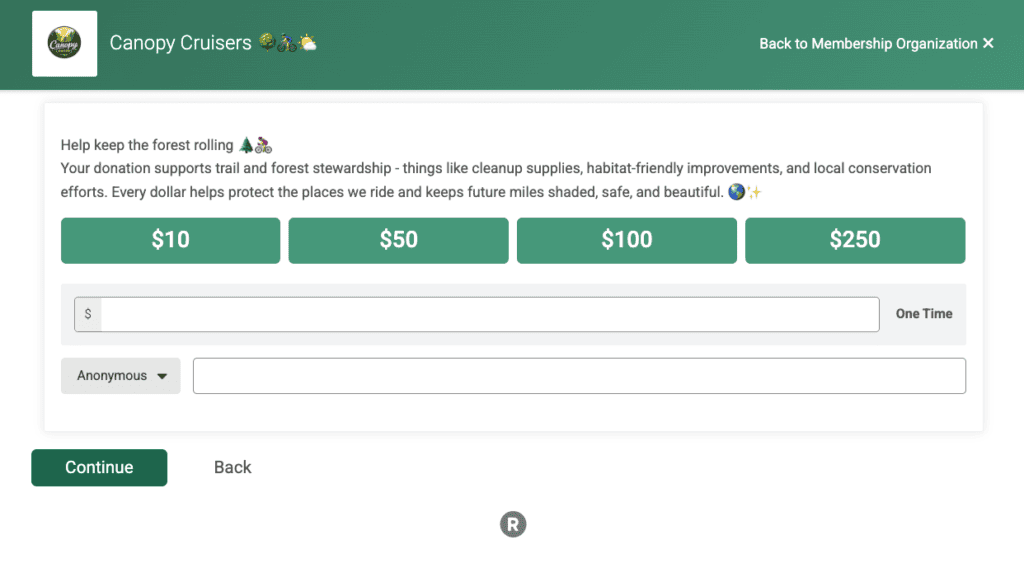
The step uses the donation settings you already configured, so your suggested amounts, heading, recurring donation options, button text, and goal all carry through. Set it up once and it works for every membership purchase and renewal after that, as well as standalone donations.
RunSignup charges the donation separately from the membership and any store purchases in the cart, so it carries the flat 4% donation processing fee rather than registration pricing. Each donation also posts as its own transaction, which keeps donation revenue clean and separate from dues in your reports.
Nothing to Turn On
If your organization has donations open, the donation step is already live in registration. The next member who joins or renews will see it. In fact, we had a transaction with a membership + donation within the first five minutes of releasing this feature! You do not need to enable a setting or rebuild your registration flow.
If you have not opened donations yet, go to your Membership Dashboard, then Donations > Setup > General Settings. Set your goal, suggested donation amounts, and recurring donation options and the step starts appearing.
Prefer to keep donations off the registration flow? Go to Donations > Setup > Display Settings and set “Skip Donation Step In Membership Purchase” to Yes. Your donation page stays live and members can still give from your website. They just will not see the prompt during signup.
