
WHERE
On Demand
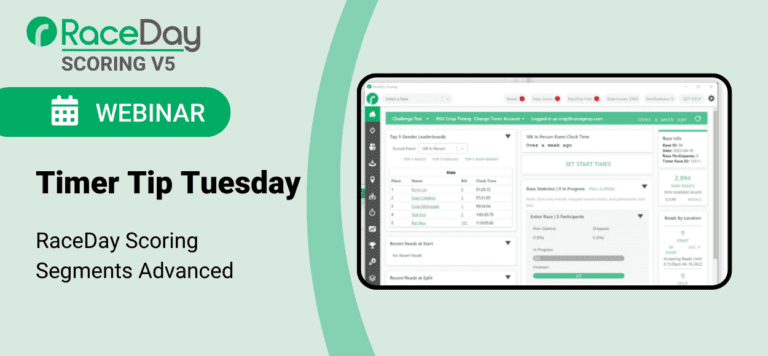
This Timer Tip Tuesday will provide an in-depth look at the advanced features available when using Segments in RaceDay Scoring.
We’ll cover:
-How to use Estimated Finish Times based on completed segments
-Monitoring Expected, Missed, and Remaining Segments during the race
-Using segments for participant tracking and race progress
-Creating detailed segment-based reports for splits, rankings, and timing analysis
This session is ideal for timers who are already familiar with basic segment setup and want to take advantage of RaceDay Scoring’s more advanced tools for managing complex races and improving reporting accuracy.
Summary of Webinar
Overview
This advanced Timer Tip Tuesday session builds on the RaceDay Scoring Segments Refresher and dives deeper into complex, real-world segment scenarios. The webinar focuses on advanced lap configurations, estimated finish times, segment-based data checks, and how segments power RaceJoy bib tracking and notifications. It also highlights underutilized reporting tools—such as override sorting and report templates—that allow timers to create unique leaderboards, diagnostics, and premium participant-facing experiences.
Advanced Lap Segments
Lap events require a deeper understanding of how segments work together.
Key concepts:
Every lap is made up of one or more segments
Segments are stitched together to define a lap in a specific order
Lap timing locations must be marked as lap locations
Occurrence count is unlimited
Gap factor is required
Two common approaches:
Default lap configuration: One segment repeated continuously
Custom lap configuration: Multiple segments combined to form different lap types
Example:
Long lap = segment to checkpoint + segment from checkpoint
Short lap = single segment that bypasses checkpoint
The system determines which lap was completed based on the sequence of segments, not just the finish read.
Viewing & Reporting Lap Progress
Lap-based reporting unlocks additional insights:
Last segment completed
Last lap completed
Time of last lap
Participant progress on course
Common use cases:
Live lap leaderboards
Spectator-facing progress reports
Tracking when participants are likely to return to the main viewing area
Segments should be clearly named so lap history is easy to interpret in participant records.
Estimated Finish Times (EFT)
Estimated finish times are calculated using the pace of the most recently completed segment, not overall average pace.
What’s included:
Estimated finish time of day
Estimated finish net time
Supports chip and clock-timed events
Requirements:
At least one segment must be configured
Best use cases:
Ultramarathons
Long-distance events with spectators
Events with frequent splits or mobile timing
Estimated finish times enhance:
Leaderboards
Spectator engagement
Perceived value of split timing services
Segment Display Control (Cumulative vs. Segment)
The Splits column is dynamic but customizable.
Best practices:
Road races: Show cumulative times only
Triathlons: Show segment times only
Hide unnecessary fields to reduce clutter
Column display should align with participant expectations and event format.
Missed Segments & Data Checks
Missed Segments is a default data check that flags participants who:
Completed a later segment
Did not complete an earlier expected segment (based on cumulative distance)
Why this matters:
Detects course cuts
Identifies switched distances
Flags missed reads early (before finish)
Customization options:
Filter out unreliable segments
Duplicate the default report to target specific segments
Combine with other fields:
Number of segments completed
Number of segments expected
Number of segments remaining
Remaining Segments
Remaining segments indicate how much of the course a participant still has left.
Use cases:
Monitoring participants still on course
Verifying counts in lap-style or multi-pass events
Internal operational tracking
This is especially useful for:
Non-lap races that reuse finish locations
Long events with shared timing points
Segments & RaceJoy Bib Tracking
Segments are essential for RaceJoy chip/bib tracking.
Key requirements:
Timer must be RaceJoy certified
Segments and timing locations must be configured first
Timing points on the course map must align with RaceDay Scoring segments
Timing-only points should be marked appropriately
Important notes:
Actual start times must be set to begin streaming
Incorrect or missing start times result in a “yellow” connector state
Occurrences must be mapped carefully when locations are reused
Segments determine:
Notification timing
Progress updates
Accuracy of spectator tracking
Creative Reporting with Segments
Advanced segments unlock advanced reports.
Examples:
Second-half marathon leaderboards
KOM/QOM-style segment challenges
“Race within a race” sprint segments
Discipline-specific performance views
Tools highlighted:
Override sorting (millisecond-level precision)
Segment-specific placement (age/gender)
Custom leaderboards pushed to RunSignup
These reports can be used to:
Add sponsor value
Enhance participant engagement
Differentiate timer services
Report Templates
Report templates save time and ensure consistency.
What templates include:
Column selection
Column order
Column behavior
What templates do not include:
Filters
Override sorts
Best practices:
Build templates before exporting
Use scored events to unlock full field options
Export/import templates across devices or teams
Share templates with colleagues or partner timers
Key Takeaways
Advanced segment setups unlock powerful timing, tracking, and reporting tools
Lap logic depends on segment order, not just finish reads
Estimated finish times improve spectator and participant experience
Missed and remaining segment reports enhance data quality and diagnostics
Segments are the foundation for RaceJoy bib tracking
Creative reporting and templates help timers stand out and scale workflows