
Event Information
WHEN
ON DEMAND
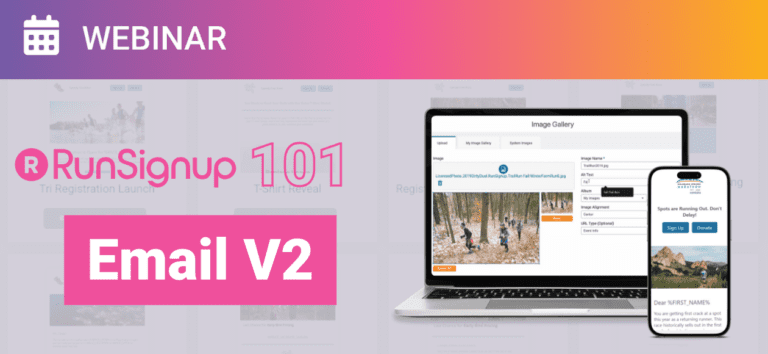
RunSignup’s Email V2 is a powerful, free tool that helps you communicate with participants, promote your event, and streamline operations—all within your race dashboard. In this session, our onboarding team will walk you through the essentials of using Email V2, from building your contact lists to creating automated emails that keep participants engaged.
Key topics include:
- How to set up and send marketing and event emails
- Using prebuilt templates and dynamic replacement tags
- Automating pre- and post-event emails
- Managing contact lists and tracking email performance
- And more!
Bring your questions! We’ll answer written questions throughout the webinar, as well as key questions verbally at the conclusion of the session.
Summary of Webinar
Overview
This RunSignup 101 webinar introduces Email Marketing V2, the platform’s modern, mobile-optimized email solution designed to replace legacy email tools and third-party providers. The session walks through the full lifecycle of email communication—from selecting recipients and building content with drag-and-drop templates, to scheduling, automation, and performance tracking. A key takeaway is that Email V2 is free, powerful, and built directly into the race dashboard, making it easy for events of any size to communicate consistently, save time, and increase participation.
What Is Email V2?
Email V2 is RunSignup’s next-generation email platform, combining familiar functionality with new features that improve efficiency, design, and engagement.
Key improvements include:
Drag-and-drop email templates
Mobile-first design and previewing
Image galleries with folders
Dynamic replacement tags for personalization
Built-in automation
Robust reporting and analytics
The system is designed so that anyone can create professional, effective emails without needing design or marketing expertise.
Who Should Use Email V2?
Everyone. Email V2 is:
Free to use
Available directly in the race dashboard
Designed to replace third-party tools like Constant Contact or Mailchimp
With 78% of emails viewed on mobile devices, Email V2’s mobile optimization ensures messages are readable, clean, and actionable. The platform supports both marketing growth and critical participant communication, making it a core tool for successful event management.
Creating & Sending Emails (Live Demo Highlights)
Accessing Email V2
Navigate to your Race Dashboard
Select Email Marketing V2 from the left menu
Choose Send Email
Selecting Recipients
Use pre-built system lists (current participants, past participants, volunteers, donors, etc.)
Create and manage custom contact lists
Upload external lists via CSV to replace third-party platforms
Building the Email
Enter subject line and sender details
Choose a template:
Start from scratch
Use a basic framework
Select a pre-built RunSignup template
Import custom HTML
Save templates for reuse across emails and races
Templates & Content Blocks
Template Options
Pre-built templates categorized by email type
Fully customizable layouts
Save edited templates for future use
Content Blocks
Add flexible elements such as:
Text and images
Buttons
Sponsor grids
Social media links
QR codes (linking directly to RunSignup pages)
Dividers and layout elements
These blocks make it easy to assemble clear, visually consistent emails quickly.
Dynamic Tags & Personalization
Dynamic replacement tags allow you to personalize emails at scale.
Examples include:
First name
Bib number
Corral assignment
Registration details
Event-specific links
This enables mass emails to feel individual and relevant, improving engagement and reducing confusion.
You can also set default fallback values (e.g., “Hi there” if a first name is missing).
Previewing, Scheduling & Sending
Before sending:
Preview emails in desktop and mobile views
Send test emails to yourself
Save drafts for later edits
Sending options:
Send immediately
Schedule for a future date and time
Scheduling emails in batches is encouraged to save time and maintain consistent communication.
Marketing vs. Transactional Emails
Marketing Emails
Promote the event
Target potential, past, or future participants
Examples:
Registration open announcements
Price increase reminders
Swag or sponsor highlights
Transactional Emails
Deliver essential information to registered participants
Examples:
Weather updates
Packet pickup details
Race-day logistics
Important distinction:
Participants can unsubscribe from marketing emails, but cannot unsubscribe from transactional emails, ensuring they receive critical race information.
Deduplication Explained
Deduplication controls how emails are sent when multiple registrations share the same email address.
Options include:
Email only: one email per address
Email + name: one email per unique person
This is especially helpful for families or group registrations.
Automation Tools
Email V2 includes built-in automated emails to save time and increase conversions:
Incomplete registration reminders
Price increase notifications
Registration follow-ups
These automated touches act as reminders without overwhelming recipients and often recover lost registrations.
Contact Lists & Email Capture
Custom Contact Lists
Create unlimited lists
Add contacts manually or via CSV upload
Ideal for importing lists from external providers
Email Capture Popup
On-site signup form for visitors
Automatically adds contacts to a custom list
Useful for building a marketing audience outside of registration
Reporting & Analytics
Email V2 provides detailed reporting, including:
Open rates
Click-through rates
Bounces
Unsubscribes
Reports help identify what’s working, refine messaging, and improve future campaigns.
Legacy email tools remain accessible only for historical reference.
Best Practices & Suggested Email Cadence
General guidance shared during the webinar:
Email once per week or every other week for marketing
Increase frequency around key milestones:
Registration opening
Price increases
Swag deadlines
Sponsor or course announcements
Use scheduling to batch work and reduce stress
Reuse high-performing emails and templates
Communication is framed as a service, not spam—clear, timely emails reduce inbound questions and improve participant experience.
Q&A Highlights
Copying emails between races: Export and import saved templates
Sharing email lists: Export lists and re-import as custom lists
Unsubscribes: Separate unsubscribe tracking for marketing vs transactional
Reply-to address: Configurable in Email V2 settings
Legacy email system: Read-only for past data; all new emails use Email V2
Key Takeaways
Email V2 is a free, modern replacement for legacy and third-party email tools
Mobile optimization is critical for engagement
Templates, dynamic tags, and automation save time while increasing impact
Clear communication drives registrations and reduces support workload
Email V2 is designed to grow with your event—from first announcement to race day logistics