
If you time races with ChronoTrack Live (CT Live) and your events use RunSignup for registration, you’ve probably wondered what RaceDay Scoring could do for your workflow—especially as ChronoTrack Registration approaches its end in early 2026.
This transition guide is designed for experienced timers who want a clear, practical path to exploring RaceDay Scoring. It’s not a full setup manual. Instead, it answers the real questions timers ask first: Why try it? What’s different? Where do I click? And how do I test it safely before going live?
Below is a recorded webinar that covers this in more detail.
Why ChronoTrack Live Timers Are Trying RaceDay Scoring
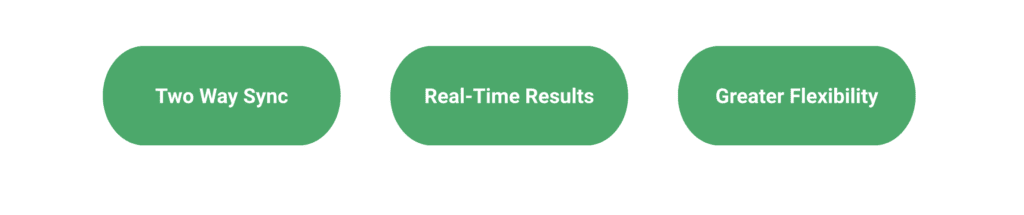
Timers in our recent Timer Tip Tuesday webinar pointed to a few consistent reasons RaceDay Scoring is worth evaluating:
Two-way Sync With RunSignup
RaceDay Scoring can sync changes both directions when registration is on RunSignup:
- Updates made in RunSignup show up in RaceDay Scoring automatically
- Corrections made in RaceDay Scoring flow back to RunSignup
That means fewer “mystery unknowns,” fewer last-minute data edits, and a smoother race morning—especially if your team is using the RunSignup Check-In App for bib assignment.
Real-Time Results On The Race Website
When results post in real time to the same site where participants registered, it reduces confusion and improves the participant experience:
- Runners know exactly where to look
- Race directors get a clean “results are live on the registration site” message
Greater Flexibility for Specialized Scoring
Timers specifically called out RaceDay Scoring as a strong fit for:
- age graded results
- lap races
- cross country and team scoring formats
- relay and aggregate scoring setups
What Feels Familiar (and what doesn’t)
RaceDay Scoring and ChronoTrack Live share a lot of conceptual DNA—streams, timing points, reads, and course logic—though the interface looks different at first.
The terminology gotcha: “Race” and “Event” are flipped
The most common point of confusion is naming:
- In RunSignup and RaceDay Scoring, the overall container is a Race and distances are Events
- In ChronoTrack, the overall container is an Event and distances are Races
Once you expect that mismatch, the rest gets easier fast.
Local software vs web-based
ChronoTrack Live is web-based; RaceDay Scoring is installed locally. You can still support remote workflows if your timing data can be delivered remotely, but the day-to-day feel is different.
Where Things Live Inside RaceDay Scoring (timer-friendly map)
RaceDay Scoring navigation runs down the left-hand sidebar. When in doubt, work top to bottom:
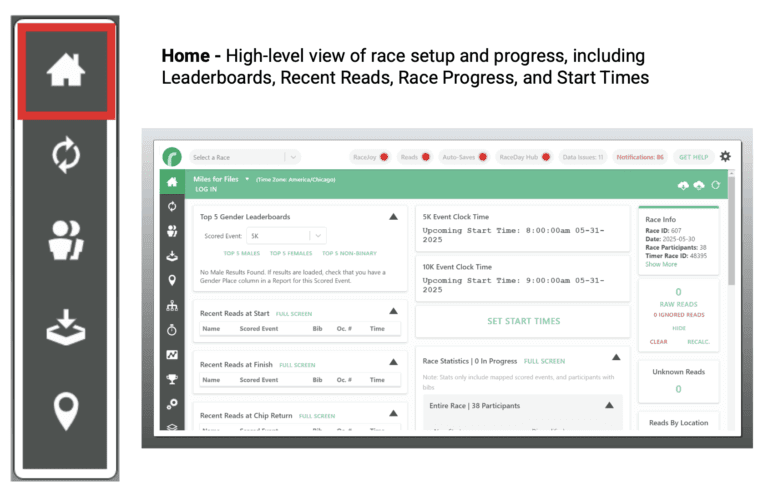
- Home: dashboard views, unknowns, data checks, recent reads
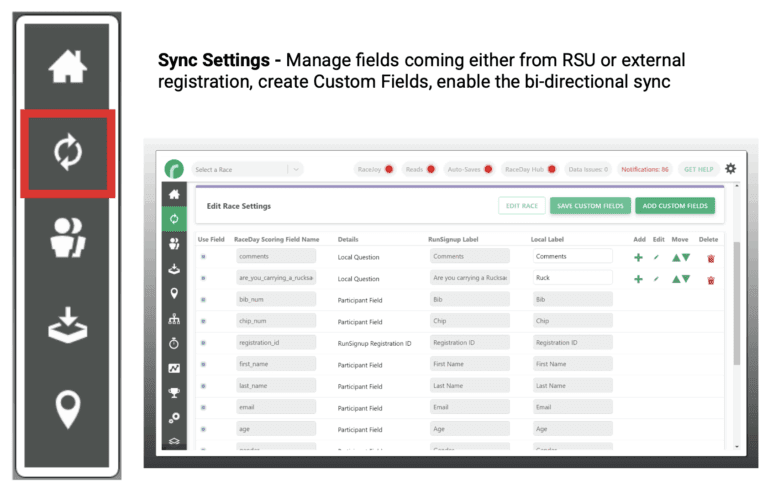
- Sync Settings: RunSignup sync, custom fields, two-way sync settings
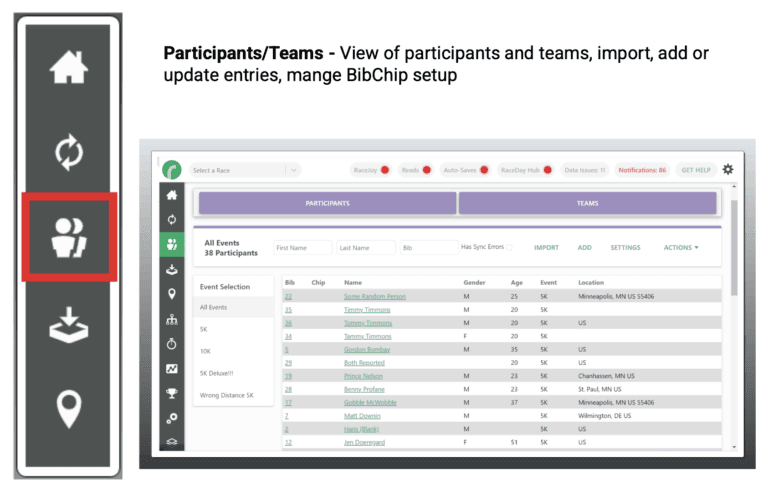
- Participants and Teams: participant data, bib/chip mapping, imports
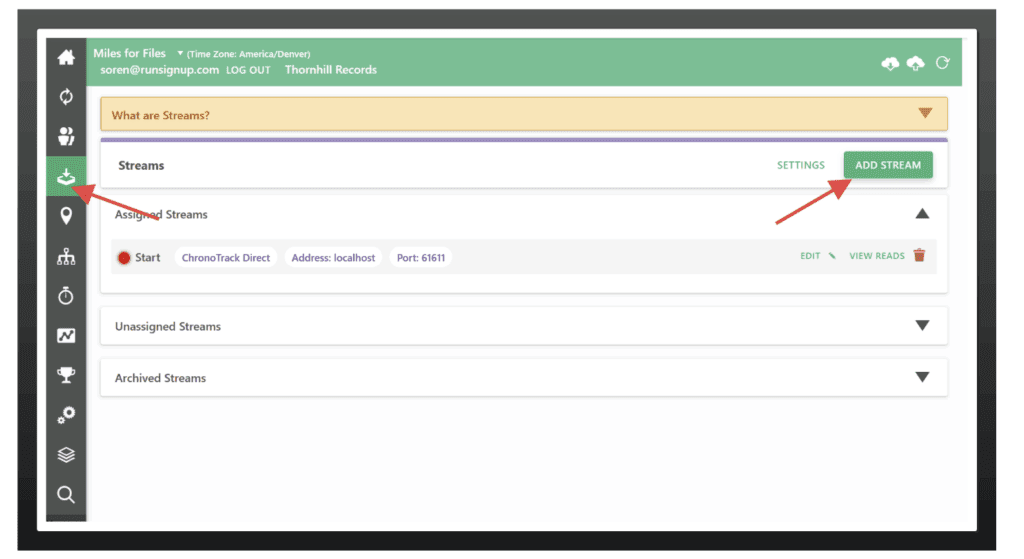
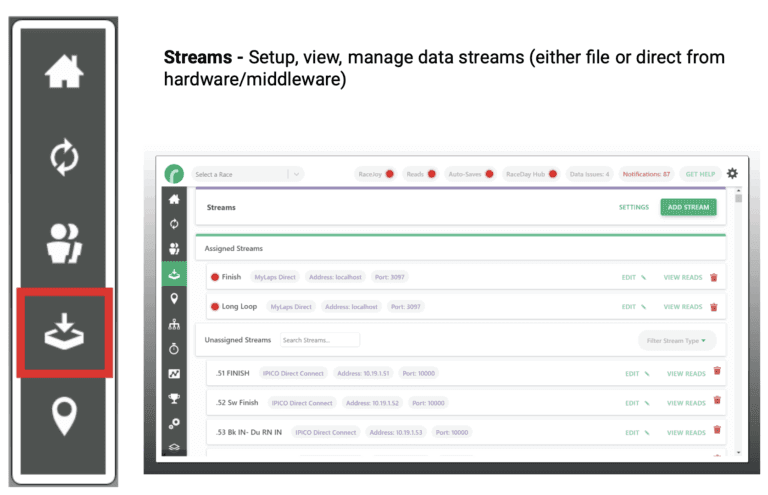
- Streams: how reads enter RaceDay Scoring (including ChronoTrack Direct and file-based options)
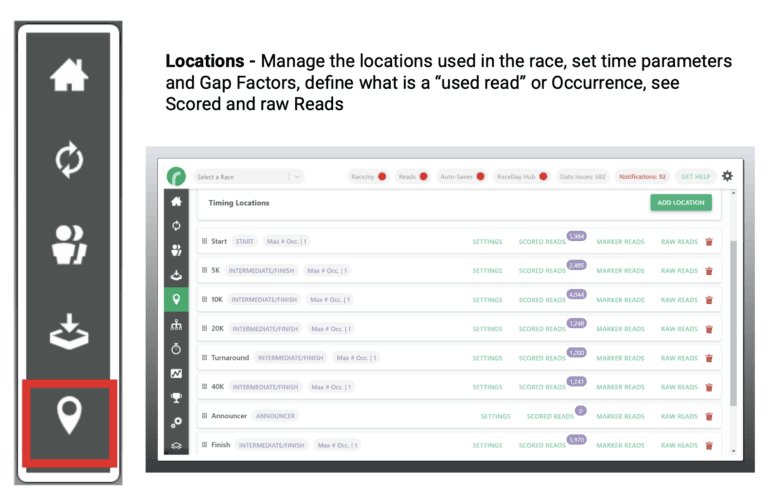
- Locations: timing points, filters, read rules, scored vs raw read review
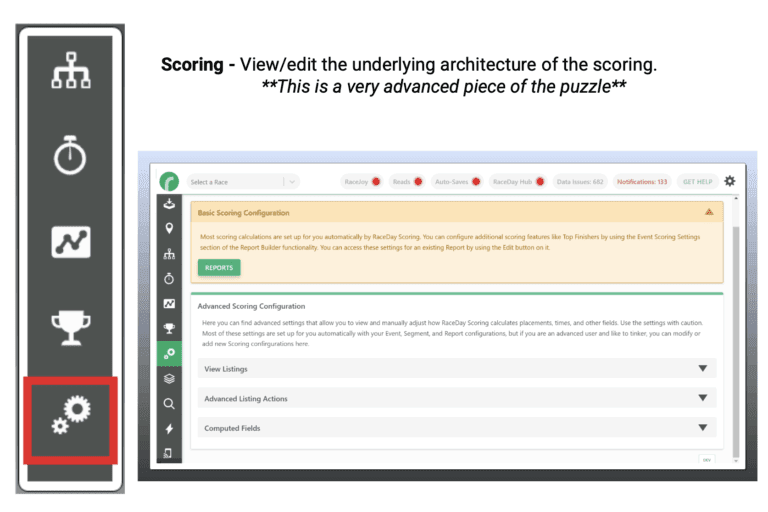
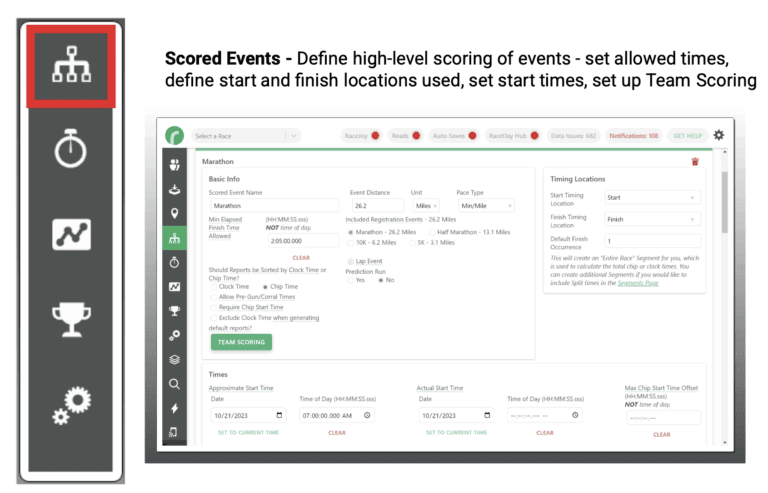
- Scored Events: chip or gun logic, start time, minimum elapsed time, start/finish definitions
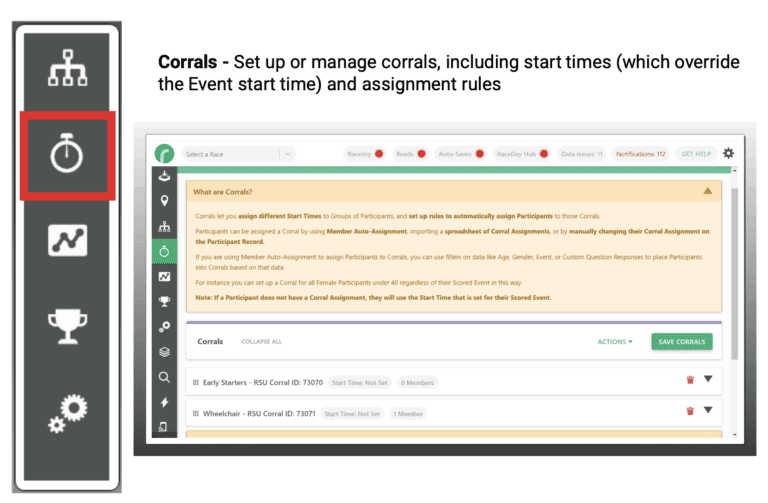
- Corrals: wave logic and start overrides
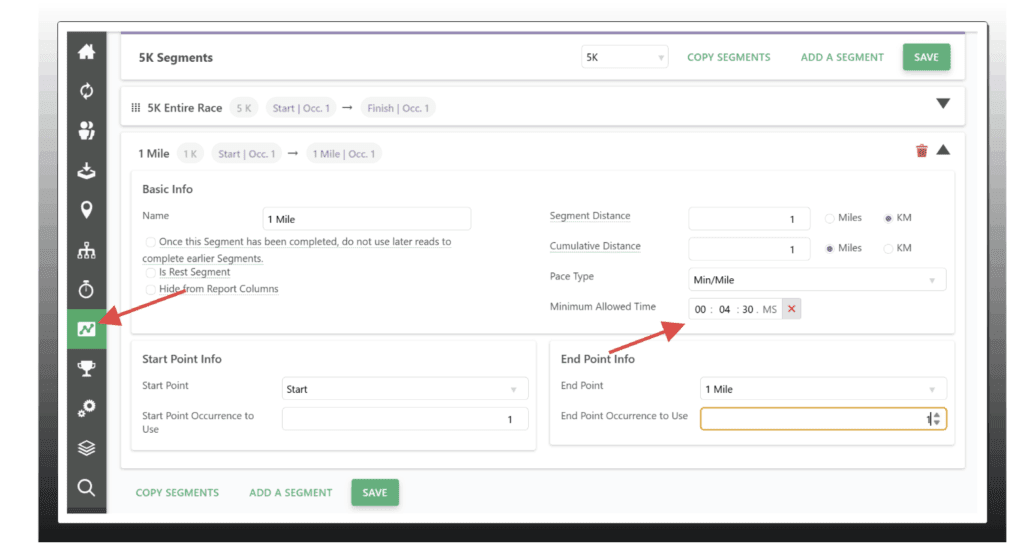
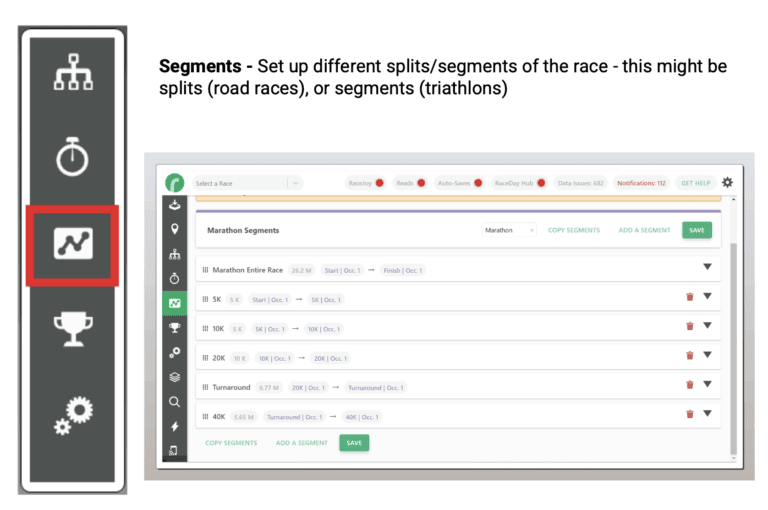
- Segments: course splits between locations, minimum times, display controls
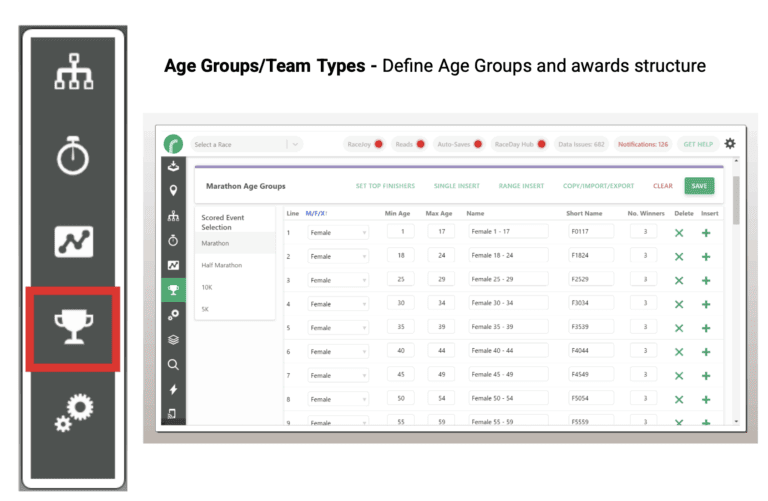
- Age Groups: awards structure and filters
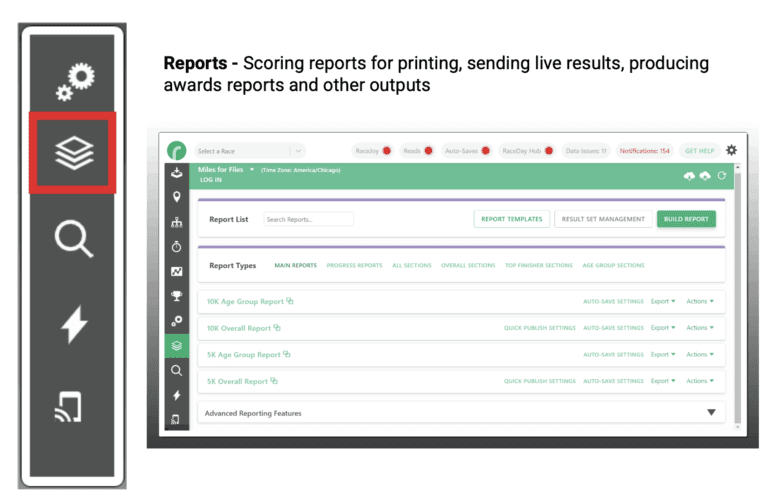
- Reports: live results publishing, awards, exports, custom reporting
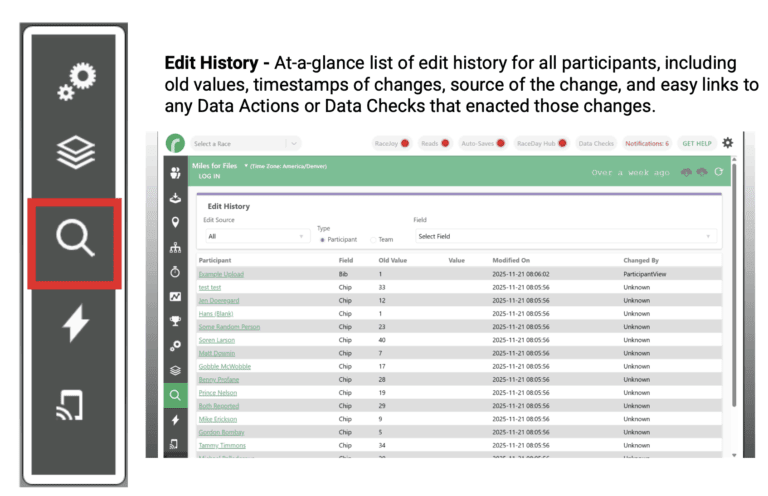
- Edit History: full change audit trail (including updates coming from RunSignup)
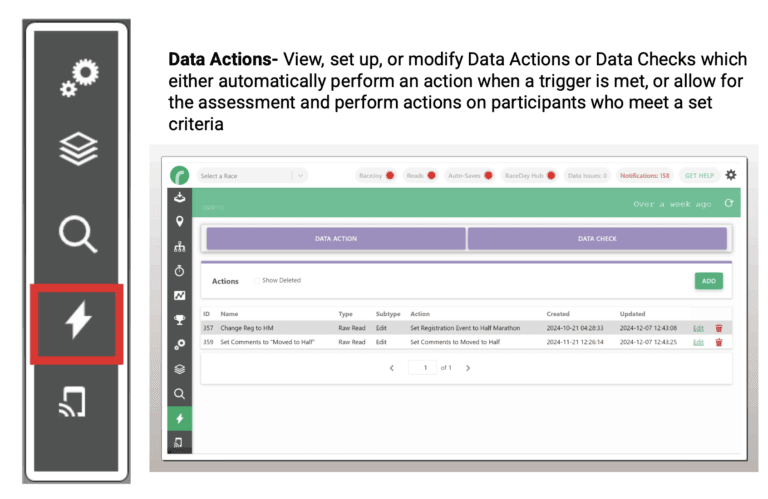
- Data Actions and Data Checks: automated actions and timer-review flags
The Safest Way To Transition (what experienced timers recommend)
Timers strongly recommend a phased approach:
1) Rescore past races first
Start by rescoring a few recent events so you can compare outputs and learn the workflow without pressure.
2) Run in parallel
Keep ChronoTrack Live as your primary and run RaceDay Scoring as your secondary. If one system has trouble, the other is your safety net. Several timers recommend using a dedicated computer for RaceDay Scoring during this phase.
3) Go live once it feels routine
After rescoring and parallel scoring, moving fully to RaceDay Scoring becomes a confident step instead of a leap.
Get Help Fast (especially on race week)
One of the best RaceDay Scoring support tools is built right into the software: Get Help.
When you use Get Help, the support team can view a snapshot of your race setup and current state—reads, settings, and logs—so you spend less time explaining and more time fixing.
For RaceDay Scoring questions, contact: raceday@runsignup.com
Next Steps…
If your registration is on RunSignup, the easiest next step is to:
- Download RaceDay Scoring
- Rescore a recent race
- Run parallel scoring at an upcoming event
- Reach out for training or support whenever you want a second set of eyes
Get RaceDay Scoring Certified
Complete the recorded RaceDay Scoring certification course for basic, foundational training.
Personalized Training
Schedule time with Soren Larson for one-on-one product training here. Also, there are many resources available to learn more about RaceDay Scoring and videos for more in-depth training on specific topics.
RaceDay Scoring is built with timers in mind—and feedback from ChronoTrack Live users directly influences where we invest next.
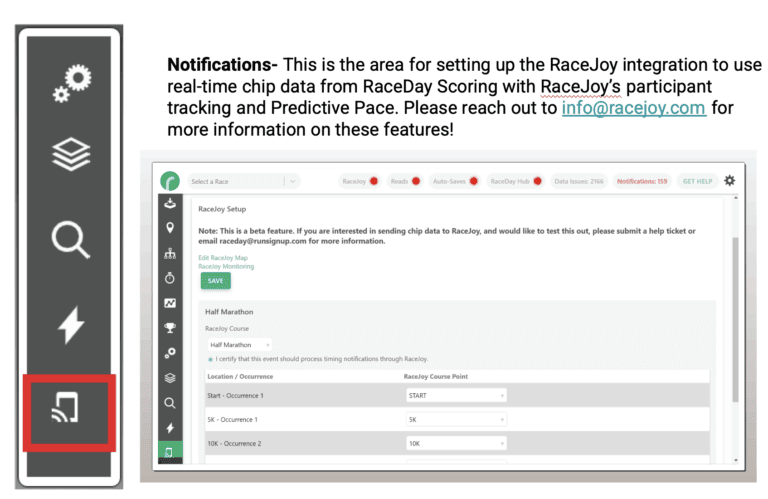
RaceDay Scoring Navigation
Migration Checklist
Before you test
- ✅ Install RaceDay Scoring on a dedicated computer (recommended)
- ✅ Choose a recent race you remember well (same setups you run often)
Rescoring workflow
- ✅ Create/import the race (connected to RunSignup or offline)
- ✅ Import participants (or sync from RunSignup)
- ✅ Create streams (ChronoTrack Direct or file stream)
- ✅ Set up locations and segments (map points to timing logic)
- ✅ Configure scored events, corrals, and age groups
- ✅ Review unknowns and data checks
- ✅ Produce results and compare to ChronoTrack Live output
Parallel scoring workflow
- ✅ Run two outputs from middleware (one to ChronoTrack Live, one to RaceDay Scoring)
- ✅ Treat ChronoTrack Live as primary until confident
- ✅ Use RaceDay Scoring reports + edit history to learn “where the fixes live”
Support workflow
- ✅ Use “Get Help” early for setup reviews
- ✅ Use “Get Help” on race day for fastest troubleshooting context