

Every new race created on RunSignup will now be set up on Website V2 by default. This is a meaningful step in our ongoing effort to make race websites faster to build, easier to manage, and more flexible to grow with you over time. Plus it’s the foundation for a series of new website features we’ll be rolling out through the rest of the year.
Here’s what’s changing, what’s staying the same, and what to expect next.
What’s Changing
When a race director creates a new race using the Race Wizard, the resulting website is automatically built on Website V2. From there, V2 makes it easy to add the modern features you actually want for your race website, including:
- AI Chatbot for customer service. Turn on an AI customer service assistant trained on your race website content to answer participant questions automatically. Fewer “what time does the race start?” or “where do I park?” emails landing in your inbox, and less time spent replying to the same customer emails over and over again.
- Image Gallery for every image on your site. A single, centralized image gallery that powers your banner and every image component across your website. Share images across website pages and events, or use our system images to choose from our wide range of endurance, peer to peer, and ticket event images. Edit image sizes and display with easy settings.
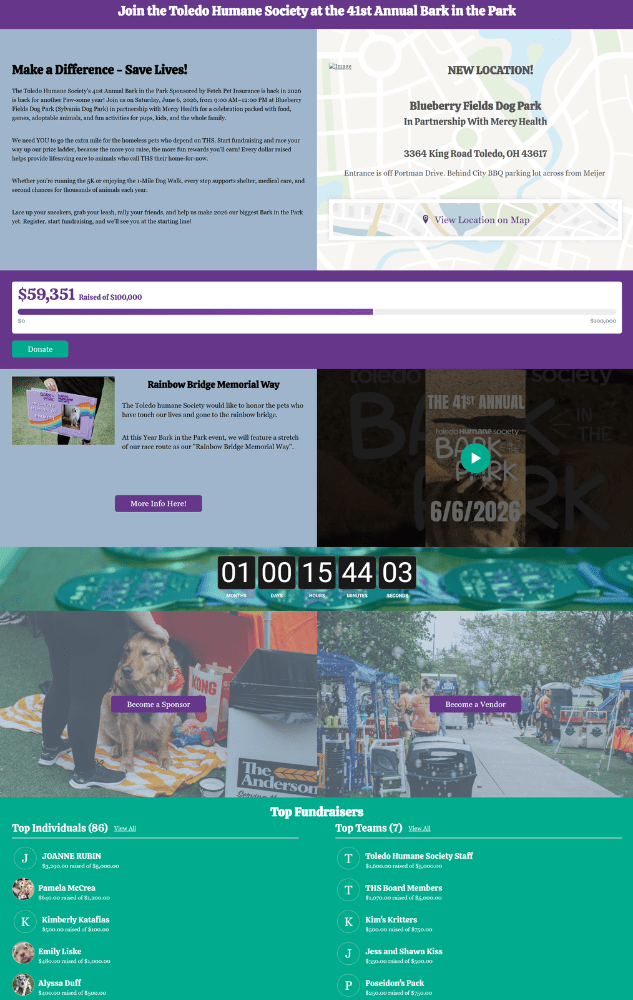
- Data-driven components for up-to-date websites without any work. Drop-in components for Fundraiser leaderboards, event tiles, participant counts, FAQs, newsletter sign-ups, price increase countdowns, and more. Each one pulls live information from your race, so the website stays current without you having to maintain it by hand. No race needs a separate website with the extensive, time-saving data-driven components available with Website V2.
- Flexible design options for unique websites. Build pages with 1-, 2-, 3-, and 4-column sections, pick from a wide variety of dividers, display images as circles, cards, or other layouts, and style your site with new color schemes and custom fonts. You’re no longer locked into a single template.
Website V2 has been available as an option for two years, but until now, race directors had to opt in. Making it the default in the Race Wizard means new race directors get the modern experience from the moment they create their race.
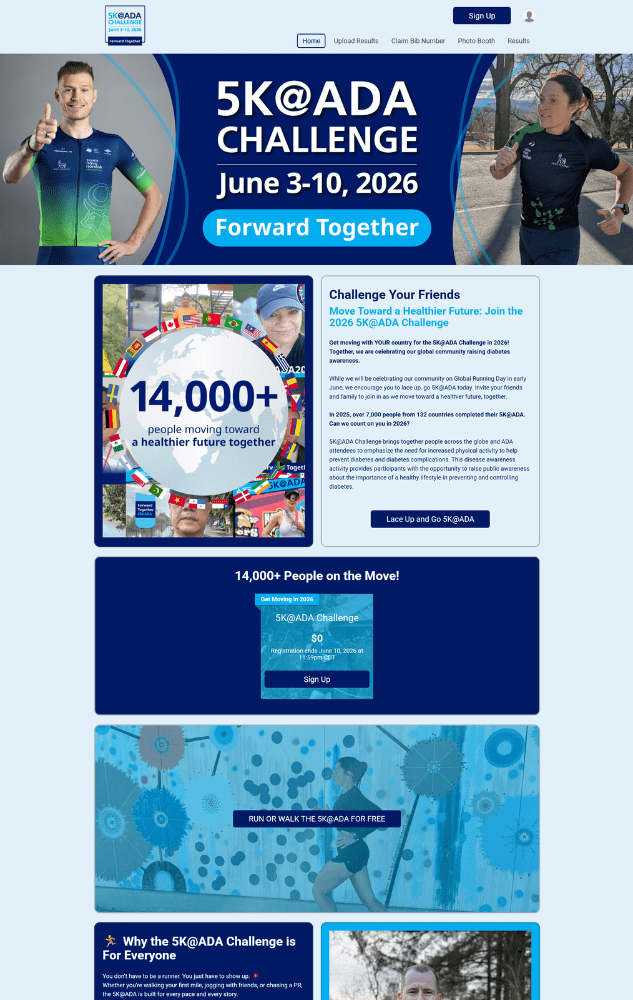
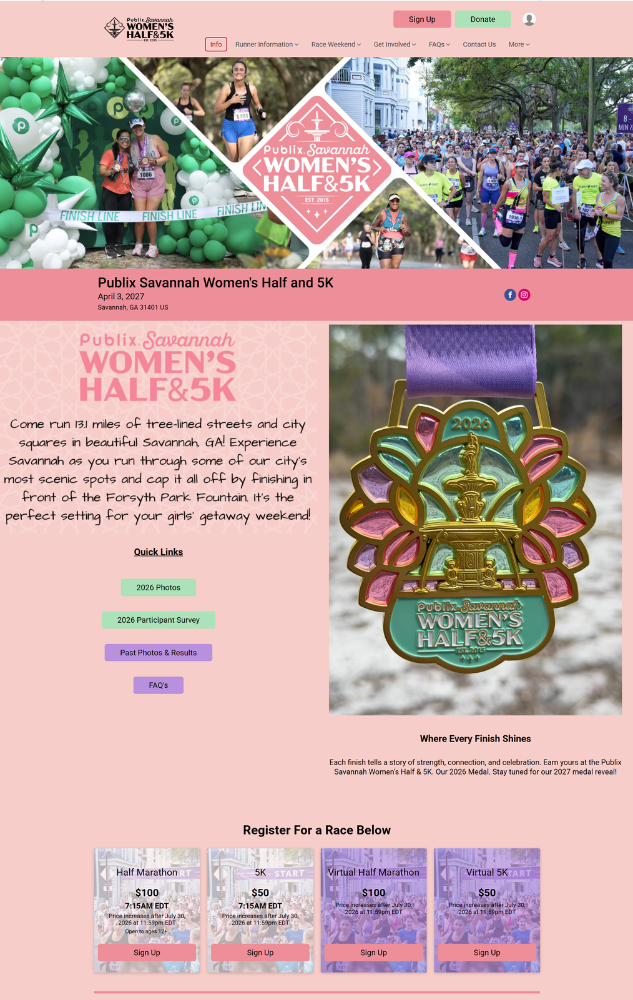
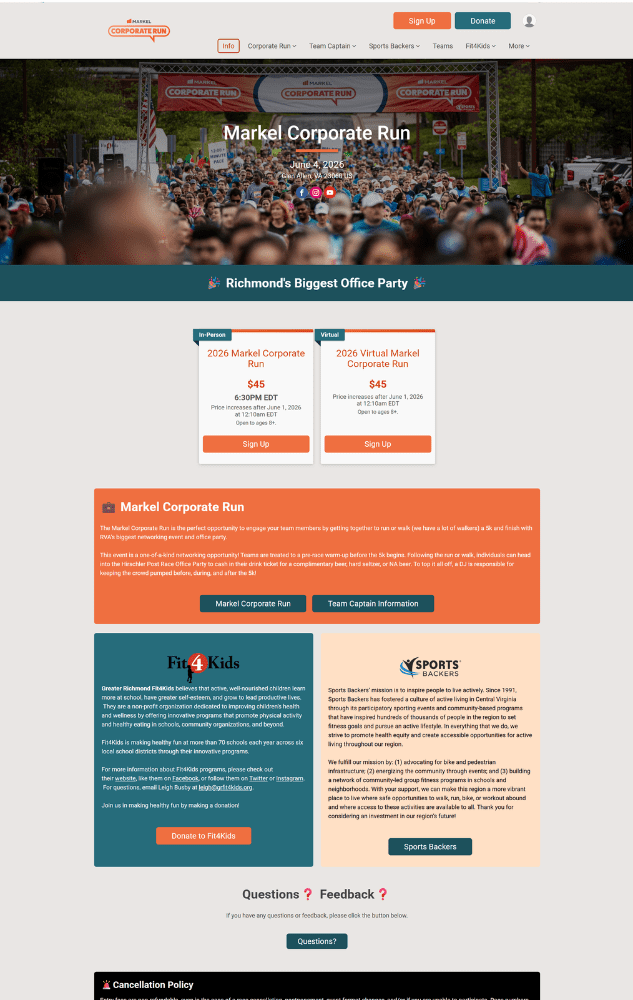
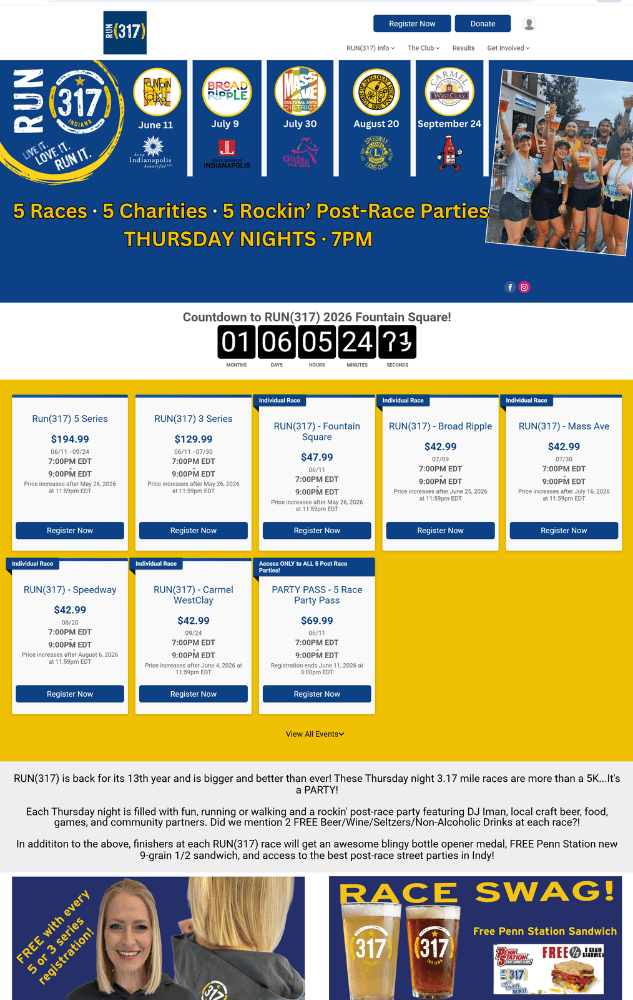
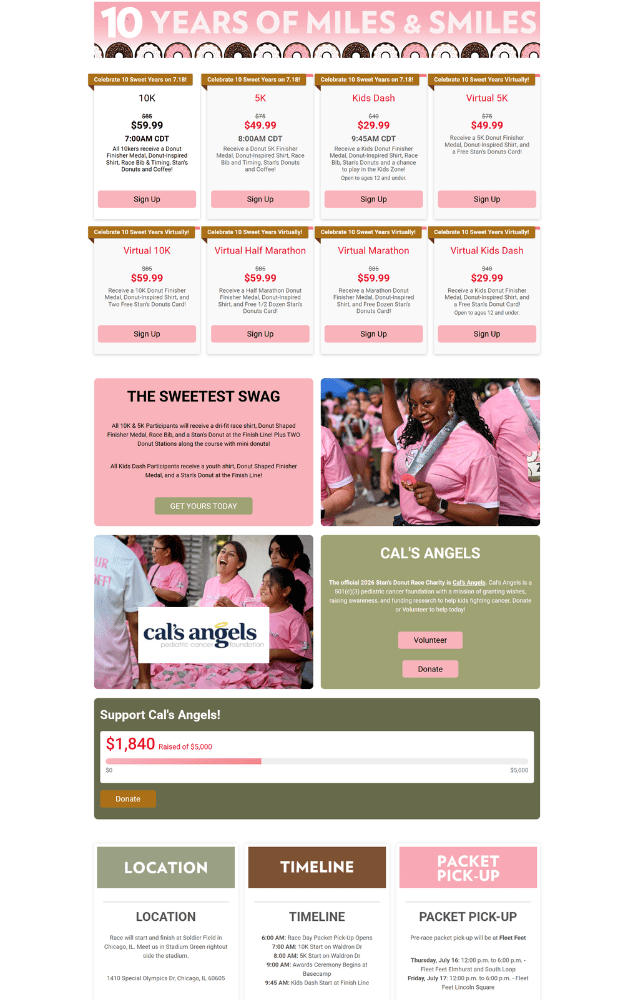
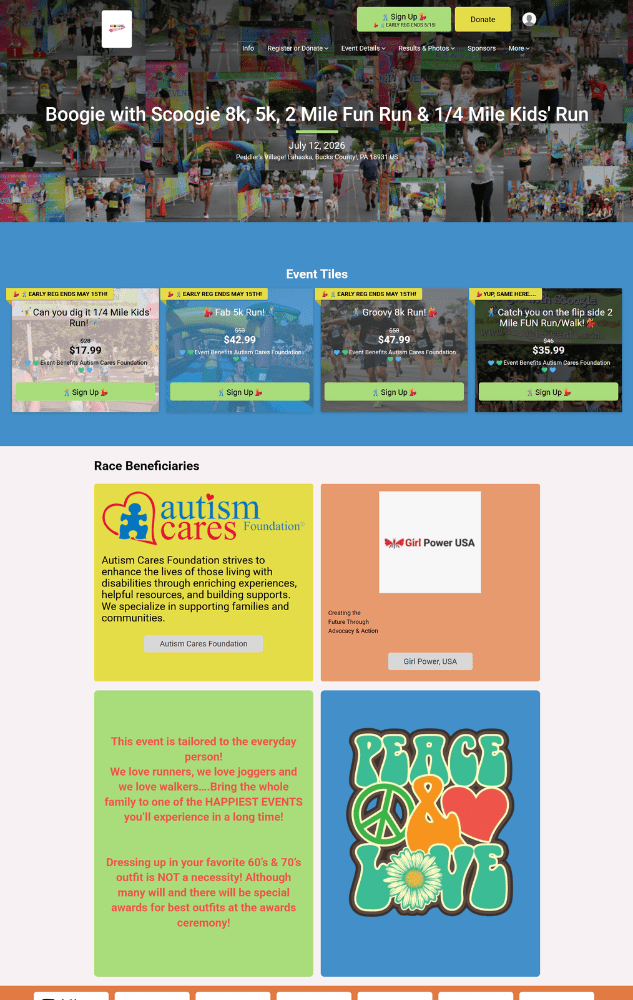
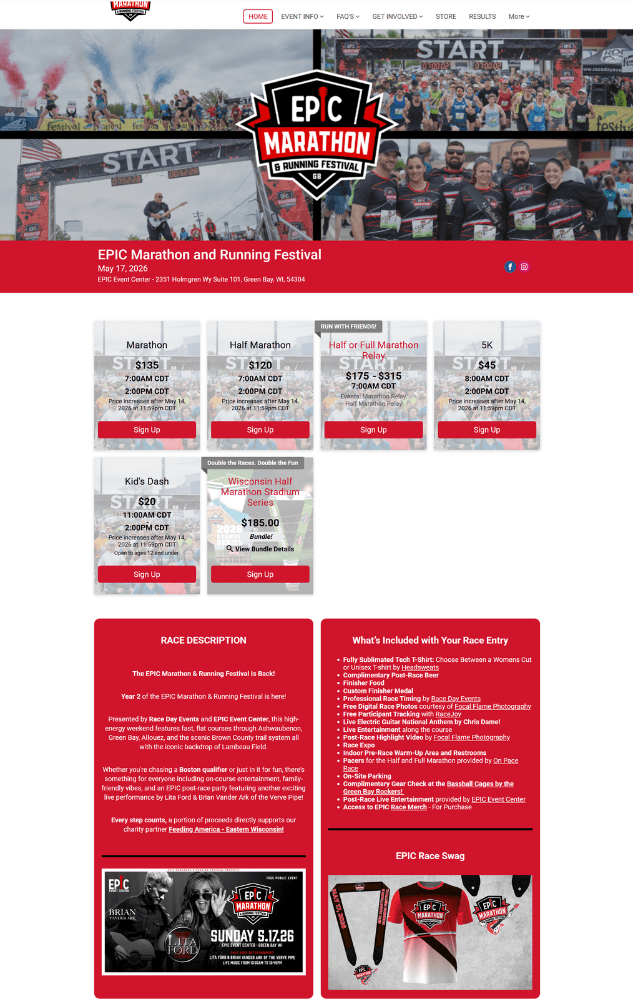
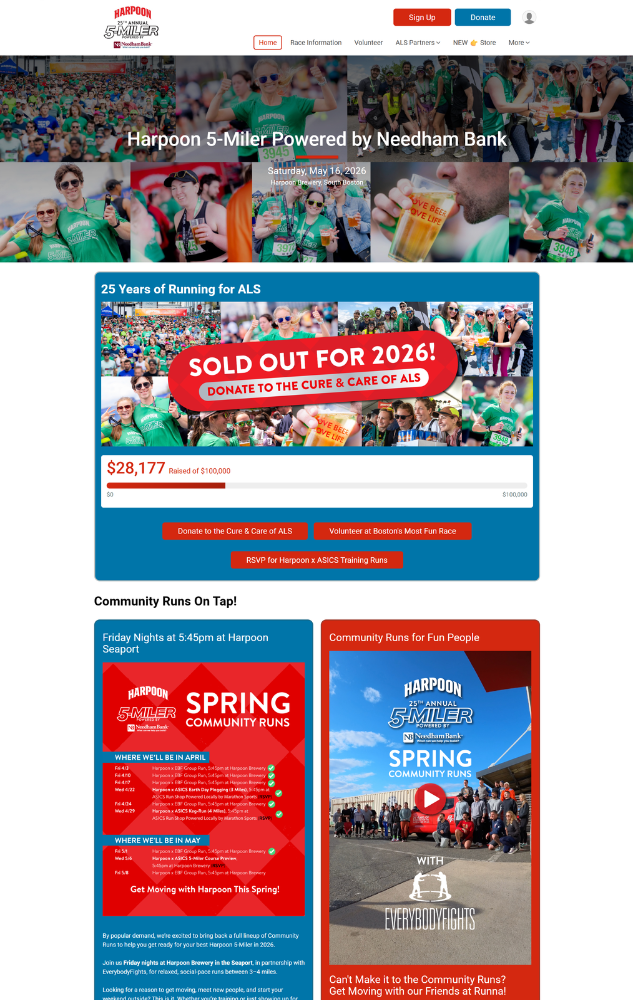
What Can You Do With Website V2? See What These Races Have Done!
What’s Not Changing
This change affects new races going forward. It does not reach back and touch any existing race website. If you’re an existing race director, nothing breaks. Specifically:
- Existing races on Website V1 stay on V1. No content is moved, no settings change, and no website is migrated automatically. V1 races stay exactly as they are.
- V1 renewals stay on V1. When you renew a V1 race for a future event, it continues on V1 with all of your existing content and settings preserved. We don’t migrate V1 sites to V2 automatically because we don’t want to risk losing or rearranging the content you’ve already done.
- Existing races on Website V2 keep their V2 setup. No re-setup is needed.
- Copying a race preserves its website version. When you copy a V1 race, the copy is V1. When you copy a V2 race, the copy is V2. Copying forward doesn’t pull anything into the V2 default just because V2 is now the wizard default.
Why We’re Making V2 the Default
Most new race directors come to RunSignup wanting to get a clean, professional race website live as quickly as possible. The wizard already gets them through the core race setup quickly. Making V2 the default means new race directors land on a modern website experience with the extensive set of Website V2 features we have released since May 2024.
It also lets us continue to focus our component and design work in one place. Every new website component we build going forward is built for V2. The more new races that start there, the faster everyone benefits when those components ship.

What’s Coming Next
This release is the start of a steady stream of website improvements over the coming months, including:
- Website Templates: Pick a template during setup so your race exits the Race Wizard with a styled, on-brand website instead of a starting point you have to design from scratch. We will continue to expand and refine template options long-term. This is in code review now.
- Video Banner: A website banner that plays video instead of a static image, giving races a much more dynamic top-of-page experience. This is in code review now. Vimeo videos will be supported, and we will incrementally add more design and layout options after the initial release.
- Event List Component: A more flexible way to display the events inside your race, with additional layout and content options. This improves the set up and automation of the existing Event List, and will allow us to add more design and layout options longer term.
- Banner Slideshow: Rotate through multiple banner images to showcase past events, sponsors, course highlights, or anything else you want returning participants to see.
- Virtual Race Components: Purpose-built components for virtual races, so race directors running virtual or hybrid events can build a website that fits their format instead of bending the regular setup to make it work.
- More components on the way: A longer list of website components is in the pipeline, plus ongoing improvements to the wizard itself, the image gallery, and additional website settings.
We’ll cover each of these in more depth as they are released.
A Few Things We’re Already Working On
We are aware there are still some transition updates we need to make to improve the onboarding experience for Website V2, and these will be prioritized along with the above features. These include:
- Centralizing custom wording. Custom event terminology (waves, divisions, etc.) lives in a few different places across our older settings. We’re consolidating it into a single, modern custom wording experience so changes apply consistently everywhere they should. This is an active project.
- A handful of advanced display options. A small number of legacy settings (for example, hiding events with closed registration or hiding event start times) aren’t yet connected to Websites V2. We will incrementally add these to Websites V2.
- Cleaning up the legacy menu. A few settings that V2 sites still rely on (like domains and race location) are still under the “Race Website (Legacy)” tab today. We’re going to relocate those incrementally so the menu reflects what’s actually in use.
What You Need to Do
If you’re creating a new race, you don’t have to do anything – V2 is now the default in the wizard.
If you have an existing race on Website V1, your site keeps working exactly as it does today. We’re not migrating sites automatically and we’re not asking anyone to switch. That said, if you’ve been on the fence: moving to V2 is worth it. Everything described above – AI chatbot, image gallery, data-driven components, flexible design – is available the moment you make the switch, and the V2 feature list will only keep growing from here. Moving an existing site over is a manual change, so most race directors do it during a slower stretch in their season rather than right before registration opens. Your account manager can help you plan the timing and walk you through what to expect.
If you have other questions, run into a setting that isn’t where you expect it, or have a reason you’d rather use Website V1 for a race you just set up, email your account manager or info@runsignup.com.
There’s a lot more on the way for race websites this year. Stay tuned.