
Event Information
WHEN
ON DEMAND
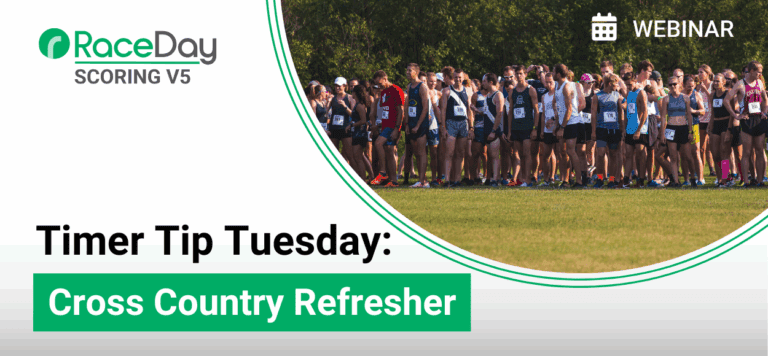
Join us for this special edition of Timer Tip Tuesday as we dive into a focused refresher on RaceDay Scoring for Cross Country events. Whether you’re preparing for the upcoming high school and collegiate season or just want to brush up on the unique aspects of cross country scoring, this session is designed to help timers get the most out of RaceDay Scoring.
During this session, we’ll cover:
- How to set up cross country-style team scoring in RaceDay Scoring
- Managing multiple divisions and team assignments
- Configuring tiebreakers and point thresholds
- Best practices for importing rosters and handling last-minute changes
- Live scoring tips and post-race reporting for team results
This webinar is perfect for both new and experienced timers looking to sharpen their skills ahead of a busy cross country season. Bring your questions and scenarios — we’ll leave time for live Q&A.
Summary of Webinar
Overview
This annual Cross Country refresher provides a comprehensive walkthrough of how to properly set up, score, report, and publish cross country results using RaceDay Scoring. The session emphasizes correct order of operations—from creating scored events and team types to configuring reports and exports—so timers can avoid common pitfalls during the season. While advanced data actions and data checks are intentionally deferred to a follow-up webinar, this session covers everything needed to confidently score standard cross country meets and deliver clean results to third-party platforms.
What You’ll Learn
How to structure races and scored events for cross country
When to group vs. separate categories (boys/girls, varsity/JV)
How team types work and when multiple team types are required
Proper configuration of cross country team scoring rules
How reporting works, including default vs. custom reports
Publishing results to RunSignup and exporting to:
TFRRS
MileSplit
Athletic.net
Best practices for streams, timing locations, and imports
Key Setup Principles
1. Create Scored Events First
Typically one scored event per distinct start time
Categories can be split later in reporting
Boys and girls running together can share a scored event if desired
2. Team Types Come Next
At least one team type is required for team scoring
Most meets only need one team type (e.g., “Teams”)
Multiple team types are only needed for special scoring scenarios (e.g., Open vs. Masters)
3. Enable Team Scoring Early
Team scoring must be enabled at the scored event level
Changing scoring rules later will:
Rebuild default reports
Delete custom reports
Finish all scored event and team scoring setup before touching reports
Cross Country Team Scoring Rules (Common Setup)
For most meets:
Team scoring type: Aggregate
Use cross country scoring: Yes
Scoring depth: Score 5, displace through 7
Tiebreaker: Match your governing body (NFHS, NCAA, etc.)
Optional Settings (Use Carefully)
Separate report sections by gender
Only if boys and girls run together in one scored event
Allow under-minimum teams
Ghosted runners
Qualifier depth (championship-style events only)
Tier 2 scoring (auto Varsity/JV based on finish order)
Reporting & Results Publishing
Default Reports
Each scored event automatically gets a Team Finisher List
This report:
Drives RunSignup online results
Supports exports to Athletic.net
Can be customized to include unattached runners
Supplemental Reports You Can Add
Team rosters (great for packet pickup)
Team detail reports
Team summary reports
Dual meet summaries/details
Close finish reports (for photo review)
Tip: Once set up, reports carry forward year-over-year.
Publishing & Exports
RunSignup
Use Autosave to push results live
Supports individual and team result views
Easy navigation between runners and teams
TFRRS (TFRS)
Full integration supported
Requires:
TFRRS ID mapped during import
A dedicated TFRRS report
Results are manually published once read
MileSplit
Requires athlete ID and team ID
IDs must be mapped correctly on import
Uses a dedicated MileSplit export report
Athletic.net
No special report needed
Export directly from the Team Finisher List
AthleticLIVE integration is not yet supported
Timing & Streams Best Practices
FinishLynx should be the Main stream
Chips should be the Backup
Main stream always takes priority, even if reads arrive later
FinishLynx start times must be set correctly
Gunshot markers can auto-set start times
FinishLynx data updates automatically—no replay required
Participant & Team Imports
Always include:
Event
Team name
Map required external IDs (TFRRS, MileSplit, etc.)
Team types can be:
Created before import
Or created during the import flow
“Do Not Score” can be applied:
At the team level
Or per individual (useful for alumni/open teams)
Final Tips & What’s Next
Best Practices Recap
Set up scored events and team scoring before importing rosters
Avoid changing scoring rules after reports are built
Spot-check imports to confirm IDs mapped correctly
Dual-score early-season meets to build confidence