
WHERE
On Demand
Getting started with RunSignup can feel a little overwhelming—but it doesn’t have to be.
In this webinar, our onboarding team will highlight a series of powerful but often overlooked features that can make your race day smoother, your setup more efficient, and your participants happier. Whether you’re a first-time race director or someone who’s only scratched the surface of the dashboard, this webinar will help you discover tools you may not even know you’re missing.
Key topics include:
- Flexible Pricing Options
- Promotion and Marketing Tools
- Self-Serve Management Tools
- And more!
This session is designed for newer race directors, but even experienced users might learn something new. We’ll answer questions throughout the webinar and wrap up with live Q&A.
Summary of Webinar
Agenda
Dashboard tips & tricks
Flexible pricing options
Promotions & marketing tools
Donations
Volunteers
Participant management (self-serve tools)
1) Dashboard Tips & Tricks
How to find the dashboard (most common newbie question)
Log in → click profile icon → My Races → choose race
Or from your public race site while logged in → profile icon → Race Dashboard
Make the dashboard easier to use
Expand the full menu so you don’t constantly hit “Show More”
Change menu font size (small/medium/large)
Set these under Profile → Dashboard Settings and it becomes the default across races
Menu Search (huge time saver)
Use the menu search (upper-left of dashboard) to jump to settings quickly (example: typing “QR” surfaces “QR Codes & Links”).
2) Flexible Pricing Options
Framed as ways to:
Incentivize signups
Drive early registration
Make events more appealing to families / budget-conscious runners
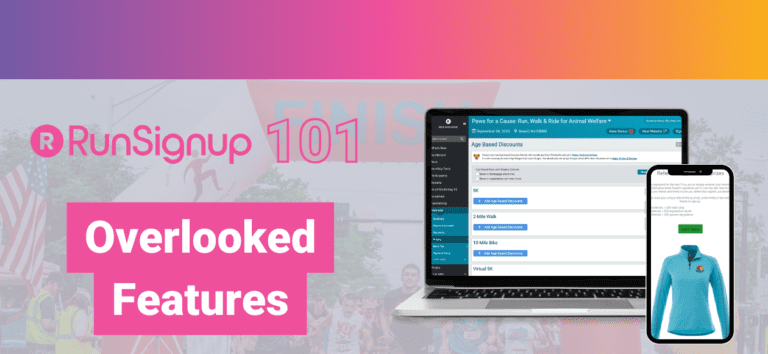
A) Age-Based Discounts
What it does: Automatically applies discounts based on DOB entered during registration. No promo code needed.
Example given:
Ages 0–12 → $15
Ages 60+ → $20
Everyone else → default price (e.g., $25)
Where: Financial → Pricing → Age-Based Discounts
Overlooked settings: Options to display age-based pricing on:
event tiles
registration path
(These are optional but recommended so people know discounts exist.)
Other options:
exclude giveaways for discounted categories
prevent stacking with membership discounts
B) Multi-Person Signup Pricing (Family Pricing)
Purpose: Encourage multiple registrations in one transaction.
Where: Financial → Pricing → Multi-Person Signup Pricing
Common setup example:
“Family discount”
4+ registrants → Cart total is $75 (total stays $75 whether 4 or 8)
Nice feature: Auto-select multi-person pricing once the threshold is reached in cart.
Optional: prevent giveaways.
C) Coupons
Purpose: Promote race to specific audiences (partners, social followers), create urgency, track redemption.
Where: Financial → Pricing → Coupons
Example demo:
Code: “FREEDOM”
$5 off per registrant
Can limit by:
number of transactions
total registrations
Can set expirations / usage caps
Extra helpful feature: Auto-apply coupon link
→ share a link that applies the coupon automatically so participants don’t have to type the code.
3) Promotions & Marketing Tools
Key message: “Put it on RunSignup and you’re done” is a mistake. You still have to actively promote.
QR Codes & Links (built-in)
RunSignup generates QR codes for:
signup page (registration path)
homepage
donations
results
photos
Use on flyers, posters, social posts, post-race comms.
Referral Rewards (underused, high impact for small races)
Turns participants into promoters via personal referral links/codes.
Best practices:
Promote the referral program repeatedly (email + social + website)
Use achievable goals + motivating rewards
Celebrate top referrers publicly
Email Marketing (Email V2)
Positioned as one of the best marketing channels, built directly into the dashboard:
Target specific groups
Design polished emails
Automations like:
price increase reminders
incomplete registration nudges
follow-ups
Benefit: avoids juggling external tools (Mailchimp/Constant Contact).
4) Donations
Why it matters
Adds purpose + raises revenue, especially for nonprofits or nonprofit partners.
Built into registration flow
Donation opportunity appears when participants are already engaged.
Commonly overlooked improvements:
Add a nonprofit logo (preferably different from race logo)
Keep description short and clear
Customize donation levels (amounts + wording)
Explain what each level funds/supports
Donation at Checkout (micro-ask)
Recommend small amounts like $3, $5, $10 at checkout:
Low pressure
Captures donors who skipped donation page
Doesn’t show if they already donated earlier
5) Volunteer Tool (highly overlooked)
Positioned as a replacement for spreadsheets/Google Forms.
Features:
Create tasks + time slots (as simple or detailed as needed)
Email volunteers only
Custom volunteer waiver
Custom questions (e.g., T-shirt size)
All-in-one volunteer management without external tools.
6) Participant Management (Self-Serve)
Goal: reduce RD workload by letting participants manage their own registration.
Covered tools:
Refunds & refund policy
Giveaway/add-on management
Deferrals
Event transfers
Access path for participants:
Profile → find race → Manage Registration
Refunds & Refund Policy
Set clear policy early to reduce support requests
Options include:
cutoff dates
percentage-based refunds over time
optional full refund including processing fee (note: RunSignup processing fees aren’t refundable by RunSignup—RD covers that cost)
Encourage editing policy language to match your branding
Giveaway / Add-on Self-Serve Management
Participants can change selections (e.g., shirt size) up to a cutoff date.
Where: Participant Management → Giveaways / Add-ons (enable it)
Deferrals (especially useful with “no refunds”)
Deferral = move registration to next year (different from event transfer).
Can:
charge deferral fee
set cutoff dates
apply event-specific rules
Event Transfers
Let participants switch distances/events (e.g., 10K ↔ 5K)
Options include:
transfer processing fee
cutoff dates (even by event)
allow transfers into full events
keep same bib number
Live Q&A Highlights
Deferrals with one annual event: Yes—deferrals allow entry into next year if injured/life happens.
QR code scam concerns: Presenter hasn’t seen complaints; suggested it’s a comfort-level decision.
Early-bird discounts: Yes—use tiered pricing under Race → Registration → Dates, Pricing & Options
Prevent adults in kids-only event: Limit age range in that event’s additional options (0–10).
“How did you hear about us?” question: Add registration questions; recommended dropdown/checkbox over essay.
Donation add-on at checkout: Set under Donations → Setup → Checkout Add-on, keep amounts small.
FAQ page placement:
Legacy: Race Website → Custom Sections then show in menu
Website Builder (V2): add a page and place in navigation
Group discounts (teachers/first responders): Best handled with Membership-based pricing (with optional validation fields).