

Whether you’re partnering with a sponsor that has its own liability requirements, running a trail or ultra race with venue specific liability requirements, or working with a national governing body like US Masters Swimming — collecting multiple waivers during registration is a common need. RunSignup supports up to three waivers per race event, giving you the flexibility to handle these situations without workarounds or manual paperwork.
Setting Up Multiple Waivers
To add waivers to your event, navigate to Race Dashboard → Race → Registration → Dates, Pricing & Options and scroll to the Race Waiver section at the bottom. Here you can configure each waiver independently — including its text, signature requirements, and how it’s presented to registrants.


Each waiver has its own set of options, so you can customize them differently depending on who requires them.

Example of general liability waiver and venue waiver during registration
How Waivers Appear During Registration
By default, waivers appear on the first page of the registration flow. However, if you check the “When registering multiple people, require each registrant to agree to the waiver separately” box on a given waiver, that waiver will be pulled out onto its own dedicated step in the registration flow — keeping the experience clean and ensuring each registrant’s signature is collected individually.

Signature Options
For each waiver, you can choose how strictly you want to enforce the signature. Options include:
- A simple checkbox acknowledgment
- Requiring registrants to scroll through the entire waiver before they can sign
- A typed name signature that must exactly match the registrant’s name on file
- Combinations of full name, initials, date of birth, or current date
If you’re registering multiple participants in a single transaction — like a family signing up together — you can require each individual registrant to sign separately, rather than having one person accept on behalf of the group.

Waiver Records and Audit Trail
Every signed waiver is automatically saved to the participant’s registration record. To view them, go to Participants → search for a registrant → click their name to open the full record.
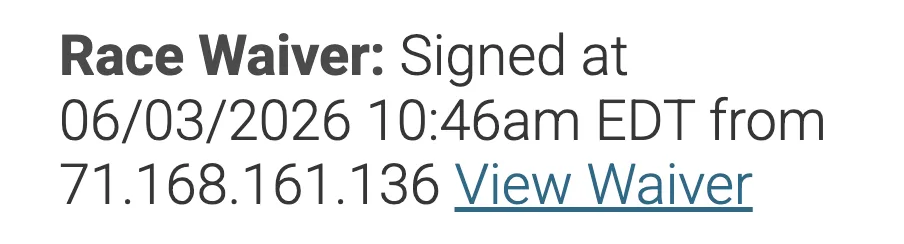
You can also view all waiver agreements under Reports → Participants → Waiver Agreements.The waiver summary shows the date, time, and IP address of each signature. Clicking View Waiver displays the full text of all signed waivers for that registrant.


This creates a clean, searchable audit trail — no spreadsheets or manual logging required.
On-Site Waiver Signing
If a participant didn’t complete a waiver during online registration, race day isn’t a problem. The RaceDay CheckIn app supports signing multiple participant waivers on-site, so your check-in staff can collect signatures right at the table before the participant gets their bib.


Volunteer Waivers
Participant waivers aren’t the only ones you need to think about — volunteers have their own liability considerations, and RunSignup handles those separately. You can configure a dedicated volunteer-specific waiver under Volunteers → Set-up.
By default, the setup process pre-populates the volunteer waiver with your race waiver text, but you can edit it to reflect language specific to volunteers — covering things like course assistance, traffic direction, or other roles that carry different risks than participating in the race itself.

Just like participant waivers, each signed volunteer waiver is stored on the volunteer’s record, complete with the date it was signed and a link to view the full document. This gives you the same clean audit trail for your volunteer team as you have for your registrants.
A Note for Membership Organizations
If you run a Membership Organization on RunSignup, the waiver setup is slightly different — and even more flexible. Membership organizations can configure up to five waivers, accessible under Organization → Waiver/Refund Policy. All waivers are presented during the membership registration flow and must be accepted before the registrant can continue.
Common Use Cases
- Sponsor liability waivers — a presenting sponsor requires participants to acknowledge their terms
- National governing body waivers — organizations like US Masters Swimming require their own waiver in addition to yours
- Venue or property waivers — the landowner or venue hosting the race requires participants to sign their own liability release
- Medical/health screening acknowledgment — a separate waiver for events requiring participants to confirm fitness or health status
- Minors or family registrations — require each participant to sign individually, rather than a single group checkbox
Multiple waivers are included as part of RunSignup’s standard registration tools — no add-on or upgrade needed.
If you have questions about configuring waivers for your specific event, reach out to your account manager or email info@runsignup.com.